
NabixSoft Leads · Practical guide
Turn business cards into useful contacts
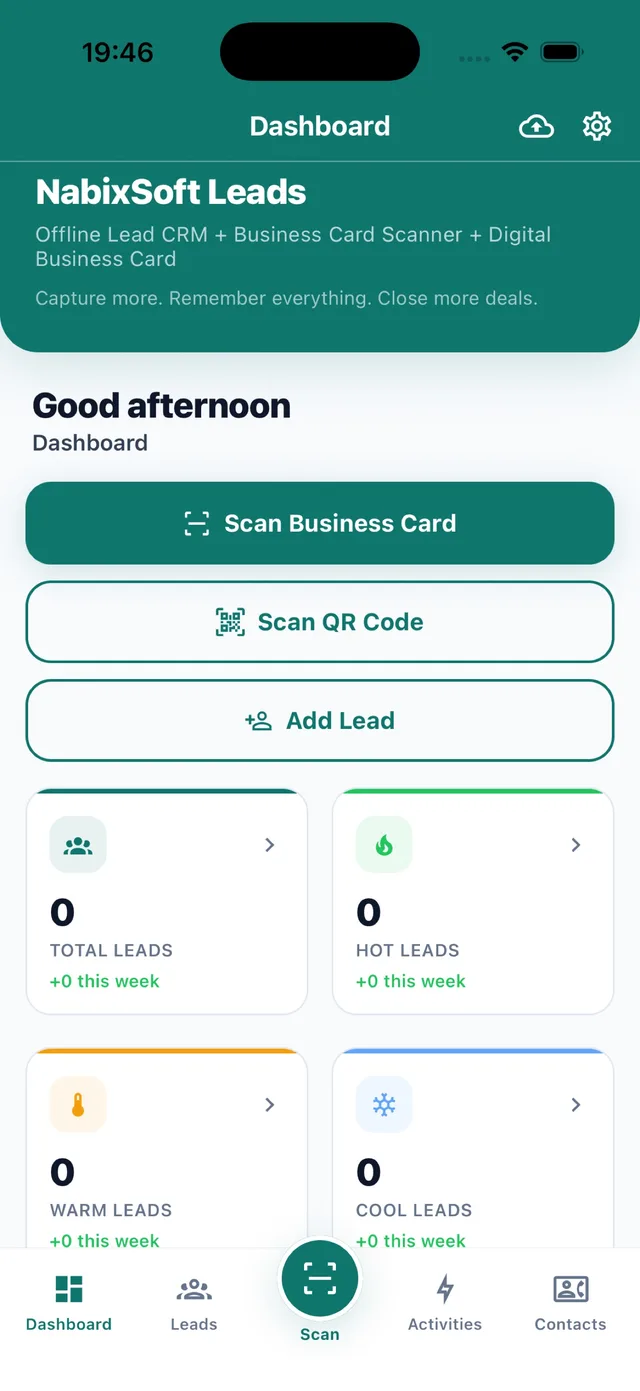
A business card is a starting point for a conversation. Turning it into a useful record means checking the details and remembering why you met. This guide follows the scanning workflow shown in the NabixSoft Leads development preview; the mobile app is coming soon.
Capture the information you can read
Place the card on a steady surface with even light. Keep the complete card inside the framing guide and avoid glare over small text. A clear image gives you a better starting point for review. If the print is difficult to read with your own eyes, try another angle or light source before relying on recognition.
The Leads preview describes on-device business card recognition with Apple Vision on iPhone and Google ML Kit on Android. You can capture a card or import an existing photo. These are preview features, rather than a promise that a store download is currently available.
Treat recognition as an editable draft
Check the name, company, role, phone numbers, email, and website against the original. Small recognition errors matter: a missing letter in an email can send a later message to the wrong destination. Keep an international dialling prefix when it is part of the supplied number.
When the reverse contains useful details, capture it too and review the combined information. Retake an unclear image instead of guessing. The preview flags low-confidence results, but you should still review every field you intend to use.
Choose a lead or contact and add context
Save the reviewed person as a lead when you want to track a potential opportunity, or as a contact when you want an organized address-book record. Add a short note about the event, topic, and agreed next action. “Send the product sheet discussed at the meeting” is more useful than “follow up.”
Look for an existing record before adding another. If the app flags a possible duplicate, compare email, phone, and company details rather than assuming that two similar names refer to the same person. See organizing leads and contacts for a consistent record routine.
Finish with a deliberate next step
Review the saved record before putting the paper card away. Make sure the note belongs to the right person and that the next action matches your conversation. A scan does not establish permission for every kind of future contact; keep your communication appropriate to the relationship.
Core scanning and records are described as offline features. Email, maps, and other external actions use their own apps and may need a connection. Before changing phones, review the export and backup options rather than relying on a card image alone.
Common questions
Is business card recognition always correct?
No. Review and edit detected fields against the original card before saving or contacting someone.
Can I download Leads now?
NabixSoft Leads is coming soon. The product website shows its current development preview.
Can I import a card photo?
The preview includes photo import as well as camera capture. Confirm release details when the mobile app becomes available.

A practical next step · Coming soon
NabixSoft Leads
Scan business cards, organize leads and contacts, and keep the next follow-up clear. A private, offline-first workspace for business relationships.
The mobile release is coming soon. Store downloads will be linked here when published.