
Capture business cards
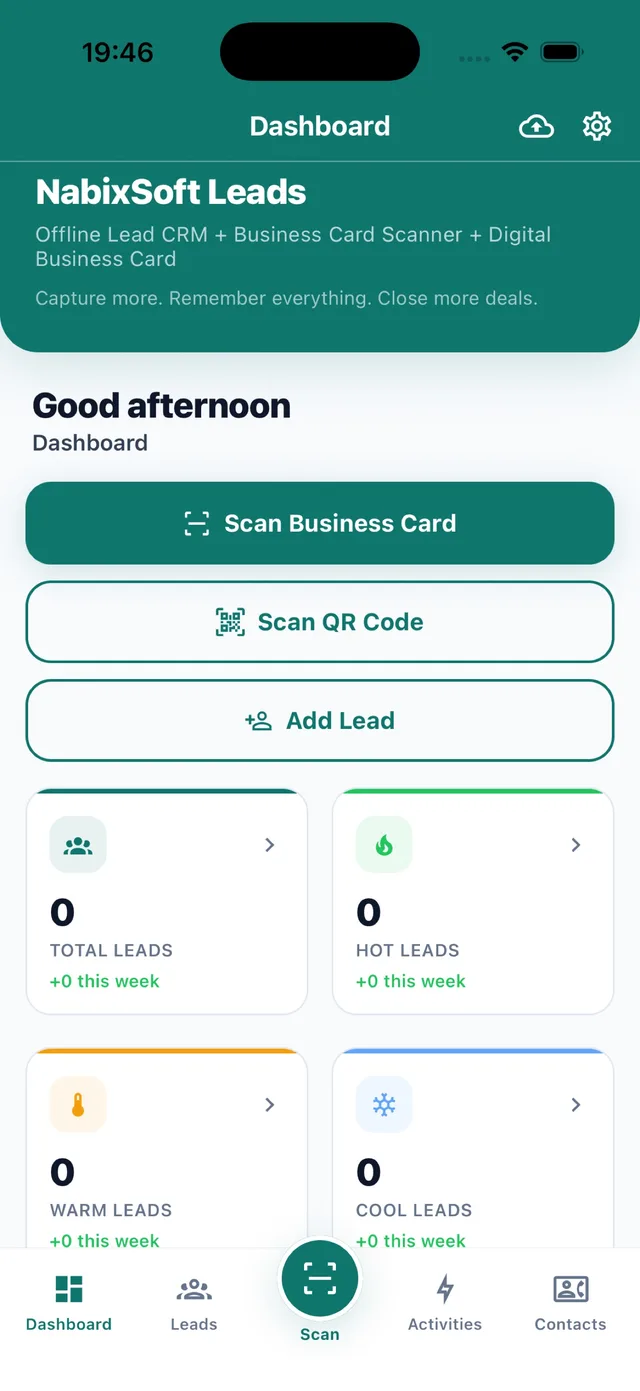
Scan a paper card or supported QR code, or import a photo. Review and edit detected details before saving a lead or contact.
Leads & business contacts · Coming soon
Turn business cards and new conversations into organized contacts and thoughtful follow-ups. NabixSoft Leads is a private, offline-first workspace for your business relationships. The mobile app is coming soon.
Mobile release coming soon
The features below describe the current development preview. The mobile release is coming soon, and details may change before launch. Contact us for release updates.
Designed around your day
Keep contact details, conversation notes, and the next action together. Explore the product website for the current app preview and walkthrough.
Scan a paper card or supported QR code, or import a photo. Review and edit detected details before saving a lead or contact.
Organize names, companies, contact details, card images, notes, tags, ratings, and lead status in one place.
Track prospects through pipeline stages and use Hot, Warm, or Cool levels to help organize your follow-up.
Log calls, emails, meetings, and proposals. Schedule appointments and local reminders for the next step.
Create a digital business card with your details, optional photo and logo, then share a card image, vCard, or QR code.
Export leads as CSV and contacts in supported formats. Core record work is designed for offline use; sharing and external services may need a connection.
Before you get started
The mobile app is coming soon. Visit the NabixSoft Leads website for the app tour. Store links will be added when available.
The development preview supports on-device business card recognition and supported QR codes. Review detected fields before saving.
Core scanning, search, records, and digital cards are designed to work offline. External services such as email, maps, sharing, and optional backup have their own connection requirements.
The preview includes lead CSV exports and contact exports in Outlook CSV, Google Contacts CSV, vCard, and Excel formats. Confirm current options on the product website.
Explore the NabixSoft Leads website for the full app tour, card maker preview, screenshots, and product information.
Contact NabixSoft support · Compare all NabixSoft apps
NabixSoft Invoice · NabixSoft Inventory Pro · Solo Contractors · ShiftPay
Practical ways to use the app
A practical business card scanning workflow: capture both sides, review detected fields, and save useful context. Explore the NabixSoft Leads preview.
Read the guidePlan clear lead and contact records with notes, tags, pipeline stages, and duplicate review in the coming-soon NabixSoft Leads app.
Read the guideKeep meeting context, activity notes, appointments, and reminders organized with the NabixSoft Leads development preview.
Read the guideUse lead stages, temperature levels, and activity notes to review opportunities in the coming-soon NabixSoft Leads app.
Read the guidePlan a readable digital business card with contact details, a QR code, and a vCard using the NabixSoft Leads development preview.
Read the guideUnderstand lead CSV exports, contact file formats, and the scope of the iPhone CRM backup described in the NabixSoft Leads preview.
Read the guide