
ShiftPay · Practical guide
Keep multiple jobs and pay rates organized
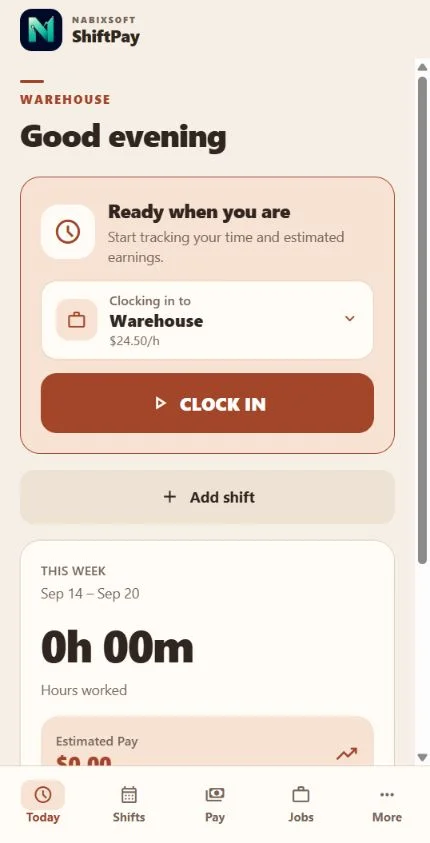
Working more than one job makes clear labels and current pay settings especially useful. ShiftPay supports multiple jobs, each with its own rate, currency, pay schedule, breaks, and overtime settings. Here is a practical way to keep the inputs understandable.
Give each job a recognizable identity
Use a name you can distinguish at clock-in time. If two roles have similar names, include a department or location in your naming convention where helpful. Review employer details and whether the job should remain active.
Choose the correct job before starting a shift or adding one manually. A good duration recorded against the wrong role can still create a misleading report. Use a quick start-and-finish routine to catch that mistake early.
Review the settings for each job separately
Check the hourly rate, currency, pay schedule, payday, default breaks, and configured overtime rules. Enter the information you intend to use rather than assuming that settings from one role apply to another. Keep a separate note of unusual arrangements if you need context later.
ShiftPay estimates from these inputs. A configured rule is not a determination that the rule meets every requirement for your employment. Compare the settings with the information you have been given and review uncertainties with the appropriate source.
Treat rate changes as a dated change
The published listing describes rate history that preserves the rate recorded for past shifts. When your rate changes, check when the new amount should begin and review a representative record on either side of the change.
Avoid interpreting a higher current rate as evidence that all older work should be recalculated. Review the actual shift record and the applicable period before editing history. Keep a note explaining a correction when that helps you understand it later.
Compare like with like
ShiftPay keeps currencies separate and does not convert them automatically. Do not add figures in different currencies and label the result as one meaningful pay total. Review reports by job and currency when your work spans more than one.
Before sharing, check the report period, selected job, and displayed currency. The pay-period review helps you compare records consistently, and the export guide helps keep an understandable copy.
Common questions
Can jobs have different rates and pay schedules?
Yes. ShiftPay supports per-job pay settings and multiple jobs.
Does ShiftPay convert currencies?
No. The published listing says currencies remain separate and are not automatically converted.
What happens to older rates?
The listing describes rate history preserving the rate recorded for past shifts. Review affected records when changing settings.

A practical next step · Available now
ShiftPay
Track work hours, breaks, overtime, and estimated gross pay. Keep shifts, multiple jobs, mileage, and expenses organized in one offline-first app.
Available on the App Store for iPhone and iPad. A Google Play download link has not been confirmed.