
ShiftPay · Practical guide
Export timesheets and protect your ShiftPay records
A readable timesheet and a recovery backup solve different problems. ShiftPay offers PDF and CSV workflows as well as a versioned JSON backup. Choose the output based on whether you want to share a report, review data elsewhere, or restore working records.
Prepare the report before exporting
Check the job, date range, and shifts you intend to include. Review notes and personal information before sending a file to someone else. A clean export begins with the right selected records, rather than with the file format alone.
The published listing describes PDF timesheets that you can preview, print, save, and share. Open the preview and verify dates, hours, and amounts. Use the pay-period checklist when the report will support a paycheck comparison.
Use a data export for further review
ShiftPay describes CSV exports for timesheets, reports, and expenses. A CSV can be useful for reviewing rows in a spreadsheet, but check how the receiving tool reads dates, decimal values, and currencies. Keep your original file if you intend to experiment with sorting or formulas.
An exported record reflects the entries and selection at that point. Later app edits do not necessarily change an already saved file. Give exports recognizable names or folders so you can identify the relevant job and period.
Create a recovery copy separately
The versioned JSON backup described in the listing covers jobs, shifts, templates, paychecks, and expenses. On iPhone, backups can be saved to Files or iCloud Drive. Choose a destination you can reach if the current device becomes unavailable.
A PDF report is useful for reading, but it should not replace the backup intended for restoring app records. Keep a recent recovery copy before changing devices, clearing app storage, or making a large set of changes.
Review an import before completing it
ShiftPay validates and previews backup data before import and can merge restored records. Review that preview and the intended file before continuing. Do not assume that a successful file selection means you have already checked the content.
After restoration, inspect representative jobs, historical rates, shifts, paycheck records, and expenses. Keep the previous recovery copy until you have confirmed the records you need. External file storage and sharing services have their own access and connection requirements.
Common questions
Is a PDF timesheet a recovery backup?
No. Use the versioned JSON backup for the app restoration workflow.
Can I export data for a spreadsheet?
Yes. The published listing describes CSV exports for timesheets, reports, and expenses.
Should I review imported data?
Yes. Check the backup preview before import and representative records after restoration.

A practical next step · Available now
ShiftPay
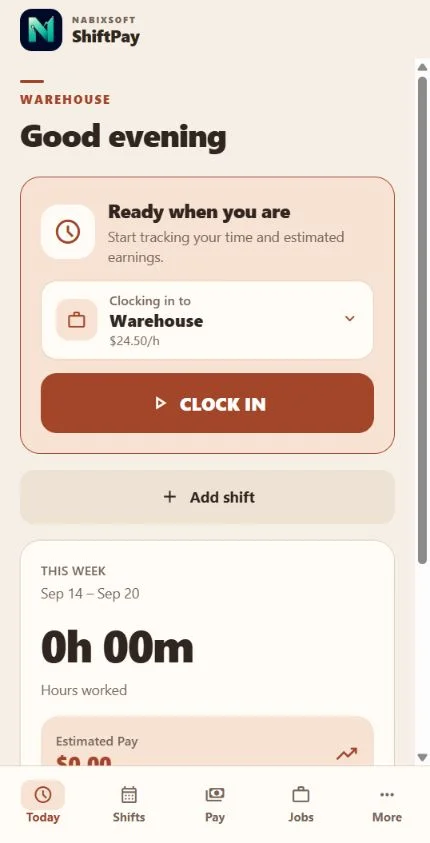
Track work hours, breaks, overtime, and estimated gross pay. Keep shifts, multiple jobs, mileage, and expenses organized in one offline-first app.
Available on the App Store for iPhone and iPad. A Google Play download link has not been confirmed.