
NabixSoft Inventory Pro · Practical guide
Choose an inventory app by testing a real stock routine.
An inventory app should help you identify products, record movements, and explain the resulting stock position. A practical evaluation follows those events from shelf to record and back again. Use the same small sample when comparing tools, including NabixSoft Inventory Pro, rather than relying only on feature counts.
List the inventory events you need to record
Write down a recent receipt, removal, and location change from your own routine. Include how you identify the product and where supporting information is kept. These examples reveal the tasks you repeat more clearly than a list of features you might never use.
Separate inventory record needs from other systems. If you require point-of-sale integration, purchase orders, shared live access, or another specific capability, verify it directly. A product called an inventory app does not automatically provide every business workflow.
Check how a product is identified and found
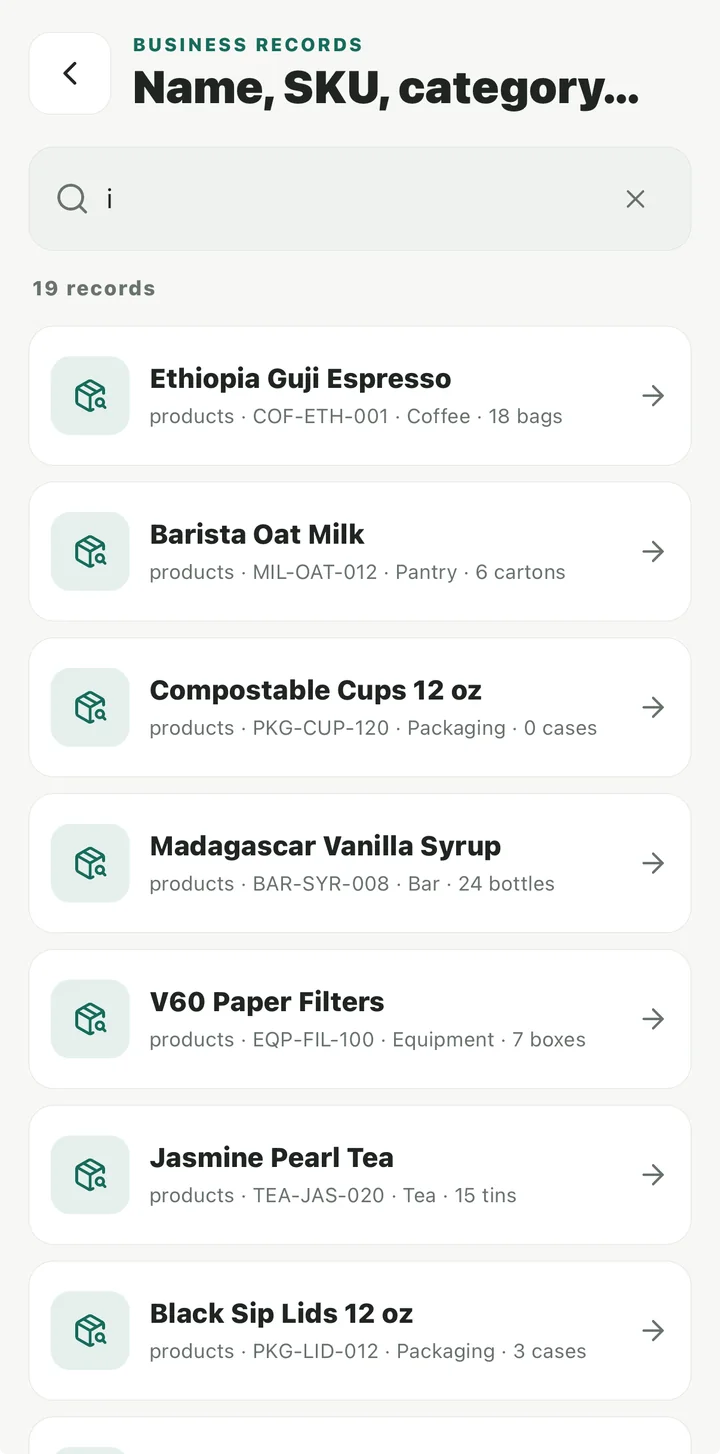
Use a fictional sample with a name, SKU or barcode, unit, and storage location. Include a similar variant to see whether the distinction remains clear. Try searching using the reference you are most likely to have on hand.
Inventory Pro supports product details, photos, identifiers, categories, suppliers, and barcode or QR lookup. These features can support a consistent routine, while the entered identity still needs to match the physical product.
Walk through receiving, removal, and a transfer
Test whether the movement workflow makes product, quantity, and location easy to review. A transfer between your own locations should remain understandable as a location change, rather than appearing to be new stock from outside.
Inspect the resulting history. Can you understand why the quantity changed? Inventory Pro provides stock movements and transaction records. Evaluate their fit with your actual events rather than assuming that a final total alone will answer later questions.
Example: a small retailer compares its priorities
A fictional retailer needs to distinguish product sizes, scan identifiers, and track moves between a back room and a sales shelf. The owner evaluates those events using a few sample products, then checks the movement history and backup workflow.
A separate requirement for shared real-time access is left marked unverified until directly confirmed. The owner does not infer it from the existence of an iPhone and iPad app, preventing an assumption from becoming a deployment plan.
Inspect stock views and the reports you need
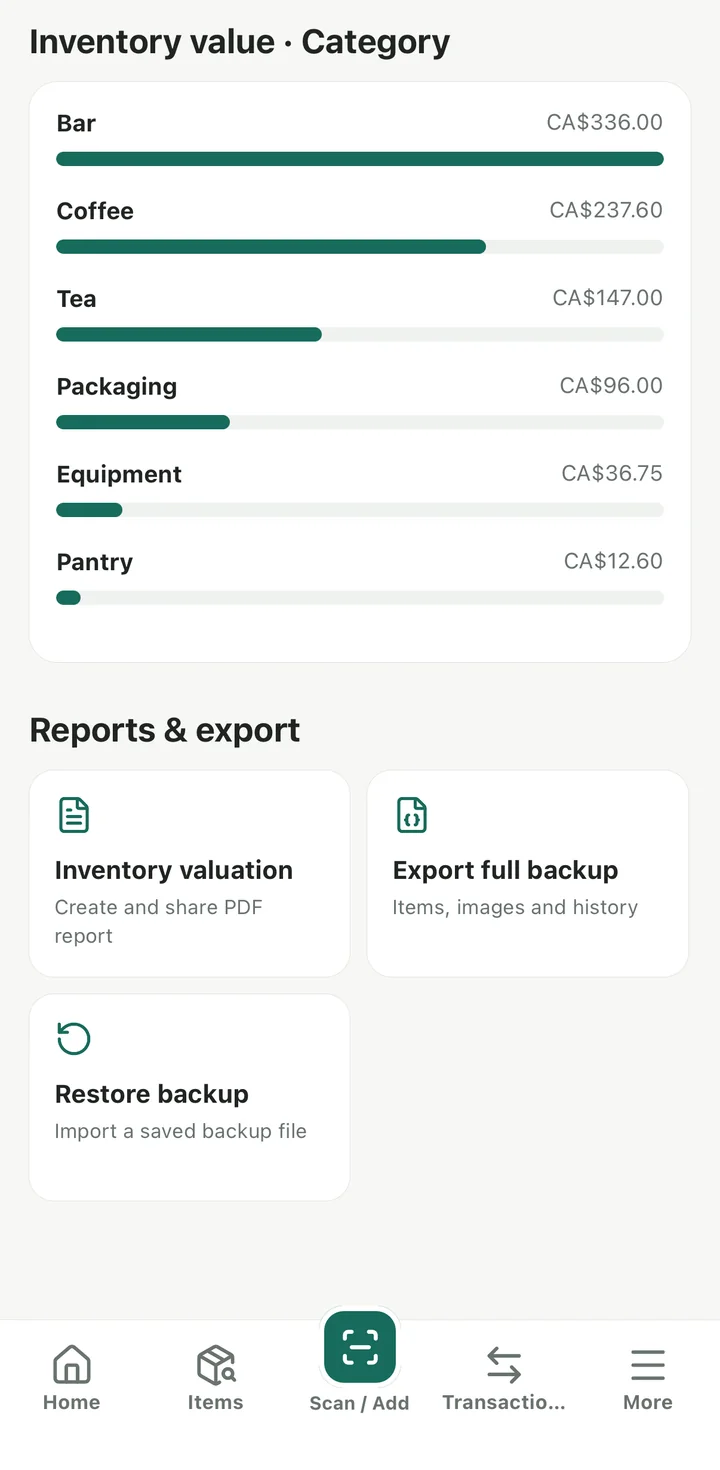
Review how low stock and product quantities are shown. Consider whether the report presents the information you actually need to read or share. Inventory Pro includes PDF valuation reports using entered quantities and prices.
Check the inputs and meaning of the figures. Retail value and potential profit are not the same as money already earned. A report summarizes records rather than conducting a physical count, so include a real-world comparison in your evaluation process.
Verify compatibility, offline work, and recovery
Check the official store listing for current compatibility, availability, and pricing. Inventory Pro has a confirmed App Store listing for iPhone and iPad; an Android download link has not been confirmed. Do not plan a deployment around an assumed platform release.
The app supports local offline inventory and complete backup/restore. Test your understanding of where the backup is saved. Local offline work is different from automatic shared synchronization across devices; verify any team or multi-device requirement independently.
Keep a short comparison of verified requirements
Record which tasks worked, what needed extra steps, and what remains unconfirmed. Use the same sample across the tools you evaluate. A clear gap against a necessary workflow matters more than a long list of features unrelated to your stock.
Visit Inventory Pro’s product page for its published capabilities. Before moving real records, review the transition guide and preserve your originals. Choose a routine you can enter, review, and recover reliably.
Common questions
Is this a ranking of every inventory app?
No. It is a consistent evaluation checklist based on real stock events and verified requirements.
Is there a confirmed Android store link for Inventory Pro?
No Google Play link has been confirmed. The App Store link below is the published listing provided for iPhone and iPad.
Does offline support mean automatic shared synchronization?
No. Local storage and backup/restore are distinct from a shared live database.

A practical next step · Available now
NabixSoft Inventory Pro
Support this inventory workflow with NabixSoft Inventory Pro’s product records, stock movements, low-stock views, and reports. Everyday inventory management works offline on iPhone and iPad.
Available on the App Store for iPhone and iPad. A Google Play download link has not been confirmed.