
NabixSoft Inventory Pro · Practical guide
Track packs, boxes, and pieces using one clear stock unit.
A delivery can contain boxes while your shelves and removals are counted in pieces. Without a consistent unit, the same stock can appear to have several different quantities. Define what one unit means for each product and apply that meaning throughout receiving, removal, transfers, and review.
Choose the unit that matches your working routine
Decide whether the product record tracks pieces, packs, or another clearly understood unit. Choose according to how you need to count and explain the stock. If you frequently use single pieces, a piece-based record may be easier to reconcile with those removals.
Keep the chosen meaning visible in recognizable product information. Do not silently change an established record from packs to pieces while leaving the old quantity unchanged. Such a change alters what every existing number means and needs a deliberate reconciliation.
Keep packaging information separate from stock quantity
A pack size explains how goods are packaged; the on-hand quantity explains how much stock is tracked in the chosen unit. Both can be useful, but they answer different questions. Use product details or notes to preserve packaging context where appropriate.
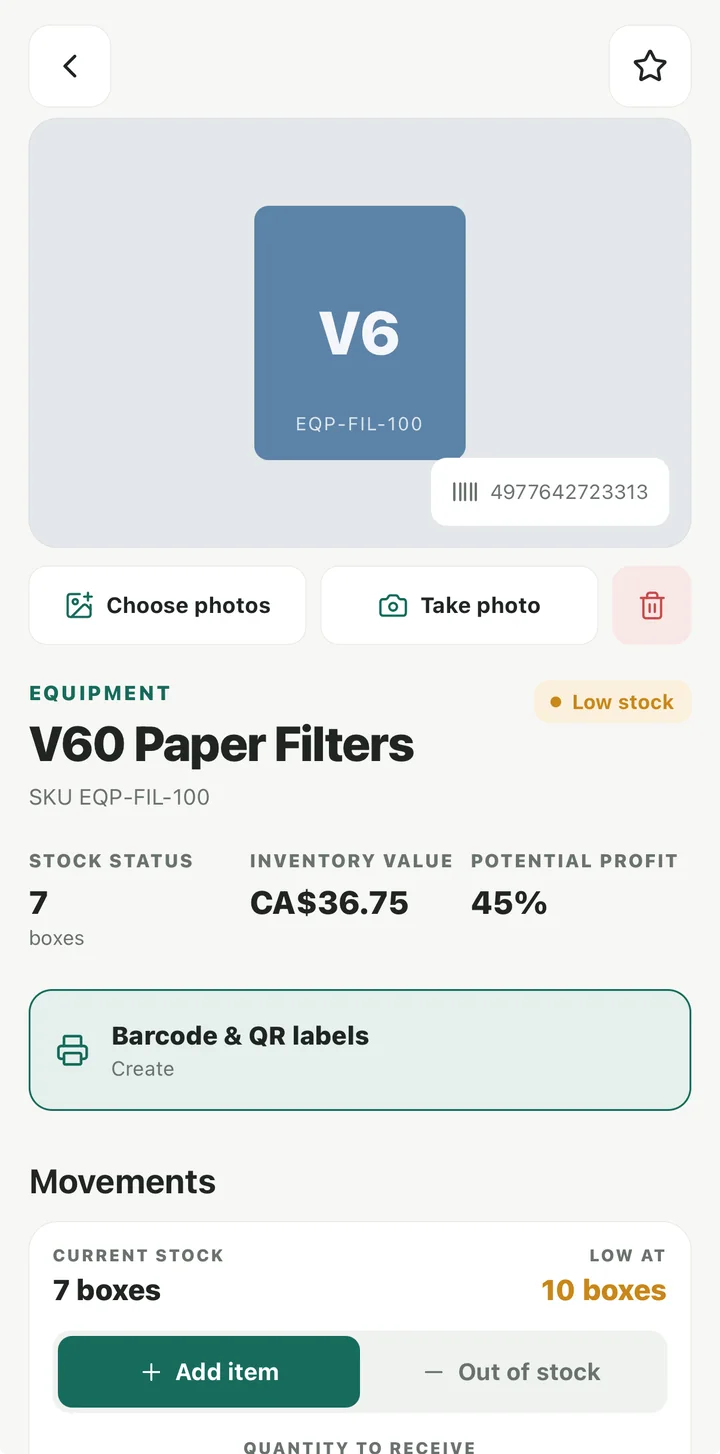
This guide does not assume an automatic unit-conversion feature in Inventory Pro. Check the required quantity yourself when a delivery unit differs from the record’s stock unit. A product barcode may also refer to a package variant, so verify the identifier before using it for lookup.
Convert the physical delivery to the intended stock unit
Count what actually arrived and compare it with the supplier information. If the record tracks pieces, calculate the pieces represented by the received packs and check for partial packs. Do not use the number of cartons simply because it is the most visible figure on a delivery label.
Review the result before entering receipt and check that the event has not already been recorded. For the wider receiving routine, see supplier records and receiving. Product identity and unit both need to match.
Example: unopened packs and loose pieces
A fictional business tracks individual pieces. It receives three packs of eight, representing twenty-four pieces, then uses five pieces. The resulting recorded position is nineteen pieces. A later count finds two unopened packs and three loose pieces, also nineteen.
Entering the receipt as three and the removal as five would mix pack and piece meanings. Defining one stock unit makes the movement history and physical check comparable without assuming automatic conversion.
Use the same unit for removals and transfers
Keep subsequent movements on the same basis. A removal of one piece from a piece-based record is different from removal of one complete pack. Read the product and quantity together instead of relying on a familiar number entered during the previous event.
Transfers also use real quantities. Moving a box between locations may represent several tracked pieces. A location change should not increase the overall quantity, and the source and destination should be recognizable in the record.
Review prices against the same product basis
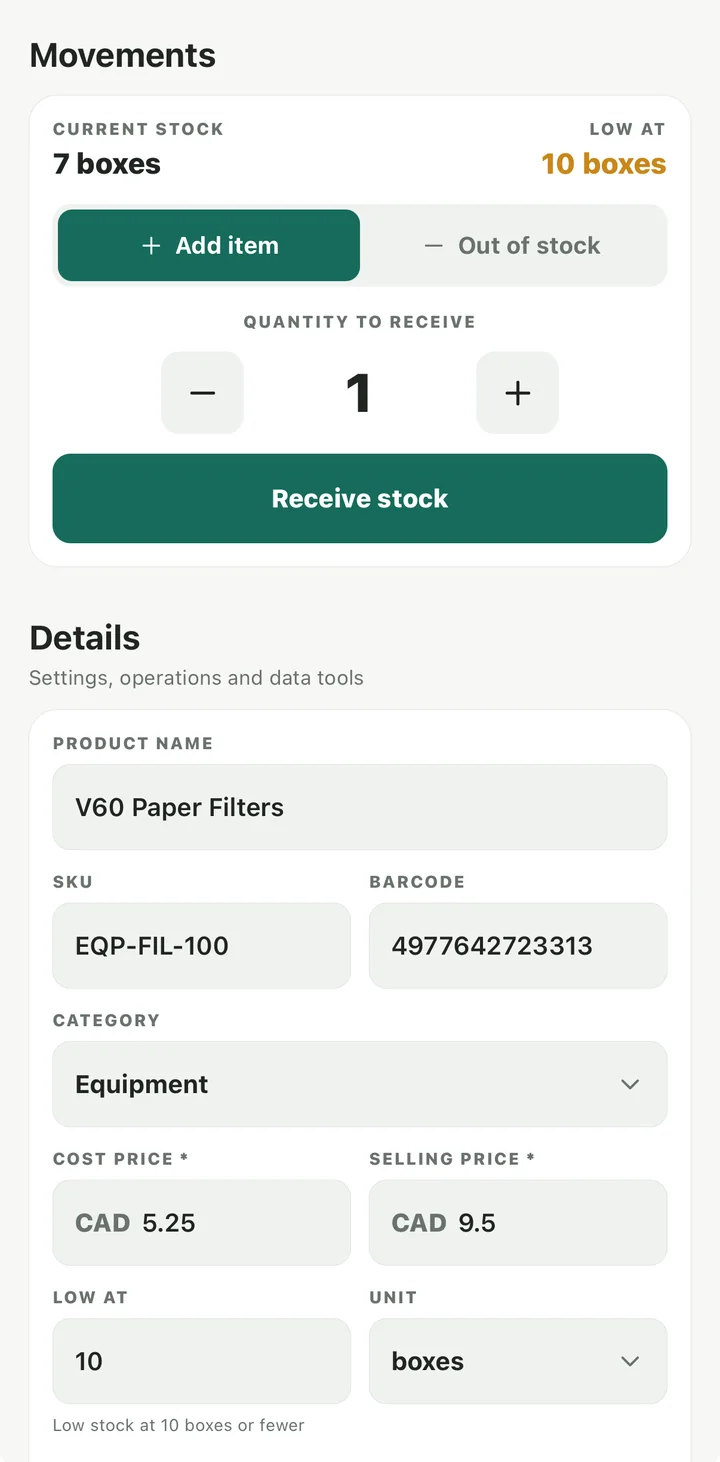
A cost or retail price needs a clear unit too. A pack price combined with a piece quantity can make valuation misleading. Compare the price basis with the unit represented by the stock record before interpreting a report.
Inventory Pro’s valuation views depend on entered quantities and prices. Read the valuation guide for the distinction between cost value, retail value, and potential profit. None of those figures independently verifies the physical stock.
Use the chosen unit when checking the shelf
Count unopened packs and loose pieces carefully, then express the result in the record’s unit. Check similar package sizes separately. A full-looking shelf can hide a unit discrepancy if some cartons contain a different number of pieces.
If the physical count differs from the app record, review recent movements and their unit interpretation before making a correction. The accuracy guide helps trace recurring errors. Export a complete backup after important reconciliations.
Common questions
Does this article describe automatic pack conversion?
No. It explains a consistent unit and deliberate quantity checks using the supported inventory workflows.
Can a pack price be used with a piece quantity?
Check and align the price basis first; mixing bases can make a valuation misleading.
Should I change units without reviewing existing records?
No. A unit change alters the meaning of quantities and needs a deliberate review and reconciliation.

A practical next step · Available now
NabixSoft Inventory Pro
Support this inventory workflow with NabixSoft Inventory Pro’s product records, stock movements, low-stock views, and reports. Everyday inventory management works offline on iPhone and iPad.
Available on the App Store for iPhone and iPad. A Google Play download link has not been confirmed.