
NabixSoft Inventory Pro · Practical guide
Excel vs. inventory apps: compare the stock routine you need.
A spreadsheet can be a useful stock list, especially when the catalog is small and changes are occasional. A dedicated inventory app can provide more structured product and movement workflows. The useful comparison is how each approach supports your actual receiving, removal, lookup, and review tasks.
Recognize what a spreadsheet already does well
A spreadsheet gives you flexible columns, formulas, and layouts. A carefully maintained workbook may be enough for a small catalog with a clear owner and infrequent changes. Excel can also work offline; offline use is not a reason by itself to rule out a spreadsheet.
Assess the file you actually use. Are product names consistent? Do quantity changes have an explanation? Can you identify the latest working version? The problem may be an unclear process rather than the mere presence of rows and columns.
Compare flexible cells with structured product records
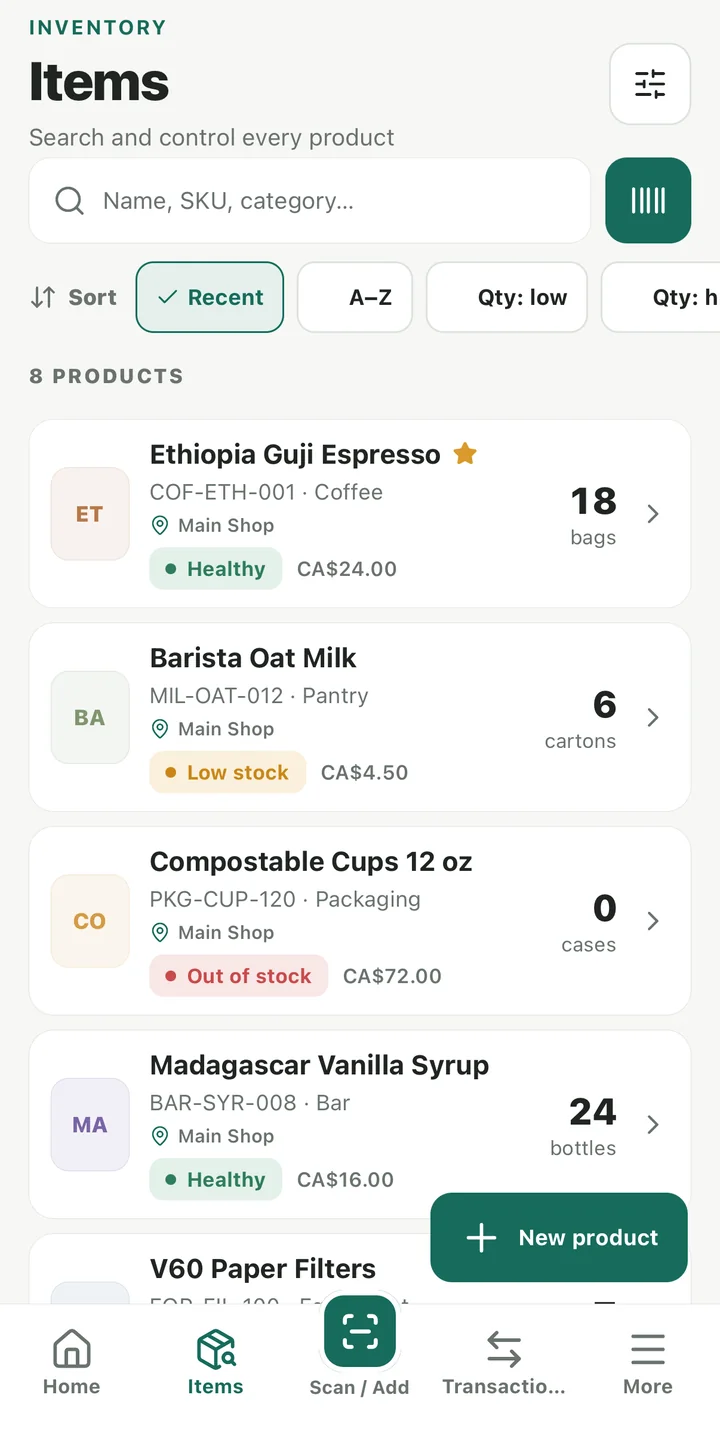
An inventory app provides a defined place for information such as a product name, SKU, barcode, photo, and storage details. This can help you enter the same kinds of information consistently instead of deciding a new column layout for each batch of products.
NabixSoft Inventory Pro supports these product records, along with categories and suppliers. Structure can make lookup more predictable, while you still need to enter accurate details and avoid duplicate products. An app does not independently identify what is sitting on the shelf.
Test how each approach explains quantity changes
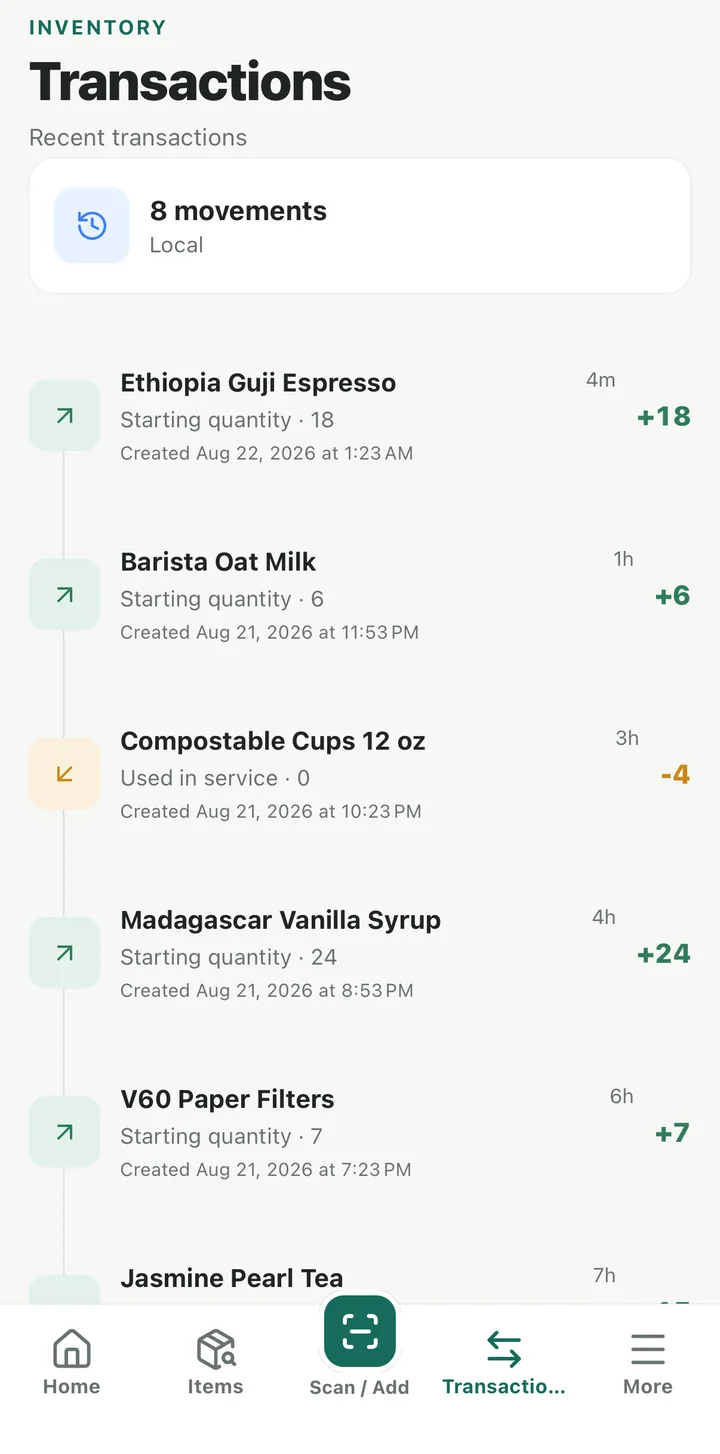
A useful stock routine records why quantities changed, not only the latest total. Compare how you record a delivery, remove used stock, and move items between locations. In a workbook, that may require a carefully maintained movement sheet.
Inventory Pro provides receiving, removal, transfer, and stock history workflows. Test whether those fit your daily events. If you only overwrite a final number in any tool, you lose context that could help explain the next discrepancy.
Example: a shop reviews its working habits
A fictional shop has a reliable product list in Excel, but staff sometimes overwrite quantities without noting why. The owner tests a sample delivery, a removal, and a location transfer in an inventory app, comparing the resulting history with the workbook’s routine.
The trial reveals that structured movement entry is useful for this shop. The owner still needs consistent product names and a backup habit; changing tools alone would not resolve inaccurate counts or unrecorded events.
Compare product lookup and readable snapshots
Try finding a product using the reference you have in hand: a name, SKU, or barcode. Inventory Pro supports barcode and QR lookup, product search, and printable labels. Their usefulness depends on the identifiers being entered correctly and applied consistently.
For review, consider what your current workbook already summarizes and what reports you need. Inventory Pro includes PDF valuation reports based on entered quantities and prices. A report from either approach still needs accurate underlying records; a formatted total is not a physical count.
Check backups and device expectations separately
Both approaches need a recovery routine. A spreadsheet file and an app backup can be lost if the only useful copy remains on an unavailable device. Check where recovery files are saved and whether you can access them when needed.
Inventory Pro works locally offline on iPhone and iPad and supports complete backup and restore. Do not assume this creates automatic live synchronization across devices. If shared real-time work is a requirement, verify that requirement directly for every tool you consider.
Compare the same small stock sample
Use a few representative products, one delivery, one removal, and one transfer to compare workflows. Include a similar-looking product variant and a product sold or stored in packs. Note where each approach makes an error easy to spot.
Keep your original workbook before making changes. The spreadsheet transition guide explains a careful starting point without assuming automatic import. Choose the approach you can maintain accurately, rather than the one with the longest unrelated feature list.
Common questions
Is Excel always unsuitable for inventory?
No. A well-maintained spreadsheet can suit a small, simple catalog. Compare your actual lookup, movement, and review needs.
Can both approaches work offline?
Excel can work offline, and Inventory Pro supports local offline inventory work on iPhone and iPad.
Does this guide promise spreadsheet import?
No. Preserve your source files and verify a deliberate setup process rather than assuming automatic import.

A practical next step · Available now
NabixSoft Inventory Pro
Support this inventory workflow with NabixSoft Inventory Pro’s product records, stock movements, low-stock views, and reports. Everyday inventory management works offline on iPhone and iPad.
Available on the App Store for iPhone and iPad. A Google Play download link has not been confirmed.