
NabixSoft Inventory Pro · Practical guide
An inventory report and an inventory backup do different jobs.
A report makes your stock records easier to read and share. A backup gives you a way to restore working data. Keeping both can support a more resilient inventory routine, but saving one does not automatically provide the other. This guide explains the distinction using the features available in NabixSoft Inventory Pro.
Use a report when someone needs to read a snapshot
Inventory Pro can create and share inventory valuation reports as PDFs. A report is useful when you want a readable summary of the stock information entered in the app. You can review it outside the inventory workflow and share it through the methods available on your device.
Think about the date and purpose of the snapshot. A report exported before a large delivery will not describe the stock after that delivery has been recorded. Use clear filenames or storage folders so that an older report is not mistaken for the current position. Keep any context you need to interpret why two snapshots differ.
Understand what the recorded values describe
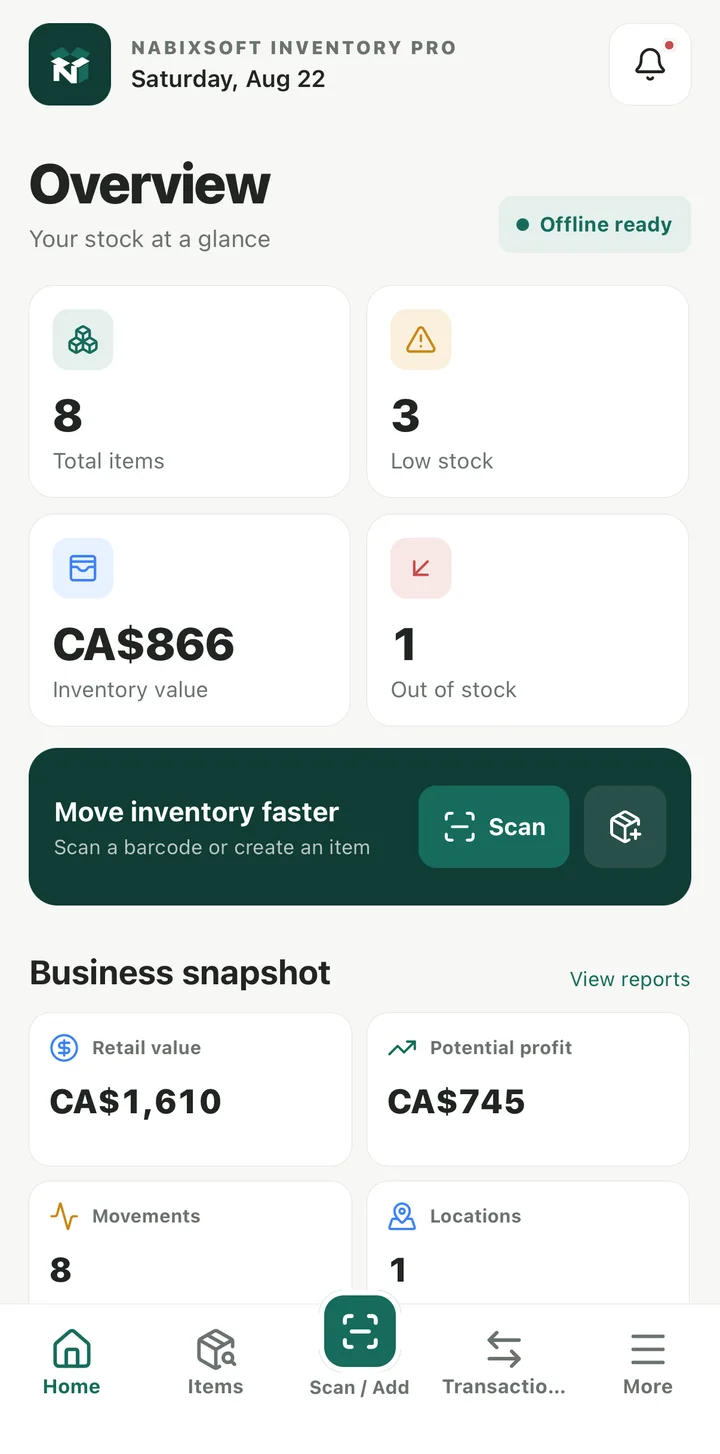
The app tracks cost value, retail value, and potential profit. Those figures depend on the product quantities and prices in your records. They are useful for understanding entered inventory data, but they do not independently check the contents of a shelf or verify a supplier invoice.
For a simple illustration, imagine five units entered at a cost of 8 each and a retail price of 12 each. Those inputs describe a cost value of 40 and a retail value of 60, with a difference of 20. That difference is not money already earned: actual sales, spending, and other business costs are separate matters. The example explains the meaning of recorded inputs rather than a promise about business results.
Review the underlying records before sharing a report
Before using a report to explain your inventory position, check the fields that influence it. Confirm that quantities reflect recent activity and that cost and price entries use the intended units. A price for one piece combined with a quantity counted in boxes can produce a neat-looking but misleading total.
- Record recent deliveries, removals, and transfers.
- Check units and relevant product pricing.
- Review low-stock or unusual quantities against the physical stock.
- Keep the date and purpose of the exported report clear.
A report summarizes data; reviewing those inputs is still part of the work. The small-business stock routine can help you organize those checks.
Use a complete backup for recovery
Inventory Pro supports exporting and restoring complete inventory backups. This is the file to think about when preparing for a replacement device, an erased app, or a need to recover working records. A PDF report is designed for reading and does not stand in for that restore file.
Export the backup and keep a copy outside the app in a location you can access again. A file that exists only on the device you are about to lose or erase may not help when you need it. Choose a storage method that suits your own access and privacy needs, and make sure you know where the file was saved.
Set a backup rhythm that matches your activity
There is no single schedule that fits every inventory. If stock changes throughout the day, an old backup may leave a large amount of activity to reconstruct. If the app is used less frequently, you can still make a fresh export after an important batch of updates and before changing anything about the device.
Use recognizable file names or dated folders, and retain a known useful copy rather than repeatedly replacing the only file without checking it. Confirm that the export completed and that the saved file is accessible. You do not need to erase live records to prove that a file exists.
Device permissions, available storage, and the sharing destination can affect a file workflow. Read the app’s current instructions or contact support if you are uncertain about a restore step.
Prepare for a new device before removing the old copy
While the original device is still available, export a recent complete backup and save it somewhere you can reach from the destination device. Keep the old records intact until you have followed the restore workflow and checked that the information you need is present.
Remember that local, offline inventory storage is different from automatic synchronization. Do not assume that installing the app on another device will bring the old records with it. Likewise, using two devices separately does not by itself create a shared live stock database.
Once your records are restored, review the important products, quantities, and locations before resuming normal movement entry. For a more efficient day-to-day lookup routine, explore the barcode and QR-code inventory guide. Keep a readable report when useful, and keep the restore file for recovery.
Common questions
Can I restore my inventory from a PDF report?
Use the complete inventory backup for the app’s restore workflow. A PDF report is a readable snapshot, not a replacement for that backup.
Does local storage mean my records automatically appear on another device?
No. Use the supported export and restore workflow rather than assuming there is automatic synchronization.
Are reported values guaranteed to match my shelves?
They depend on your entered quantities and prices. Record movements consistently and compare your records with physical stock.

A practical next step · Available now
NabixSoft Inventory Pro
Use the reporting and recovery tools discussed here in NabixSoft Inventory Pro, with PDF inventory valuation reports and complete inventory backup and restore workflows.
Available on the App Store for iPhone and iPad. A Google Play download link has not been confirmed.