
NabixSoft Invoice · Practical guide
A short final review before you send an invoice.
A prepared invoice can look finished before all the details have been checked. A short, repeatable review helps you notice a wrong customer, an old service description, or payment information that no longer matches your workflow. Use this sequence with the document and PDF tools in NabixSoft Invoice.
Check that you are issuing the right record
Begin with the document type and customer. An estimate and an invoice can contain similar lines, so verify that the record you intend to send serves the right purpose. Confirm the billing name and contact details before reviewing the amounts.
If the document began from an earlier record or conversion, look for context that belongs to a previous visit or project stage. A familiar-looking page can preserve an old description. Start the review from the actual work you intend to bill rather than assuming the preparation method made every detail correct.
Read the work descriptions as the customer will
Read every line without relying on your memory of the job. Does the description explain the supplied item or completed service? If additional work changed the total, can the customer see that difference? Use clear wording that connects the invoice to recognizable work.
Review catalog items selected for the document. A reusable service name is useful, but the final description may need a project or visit detail. The catalog guide explains how to reuse descriptions without losing that context.
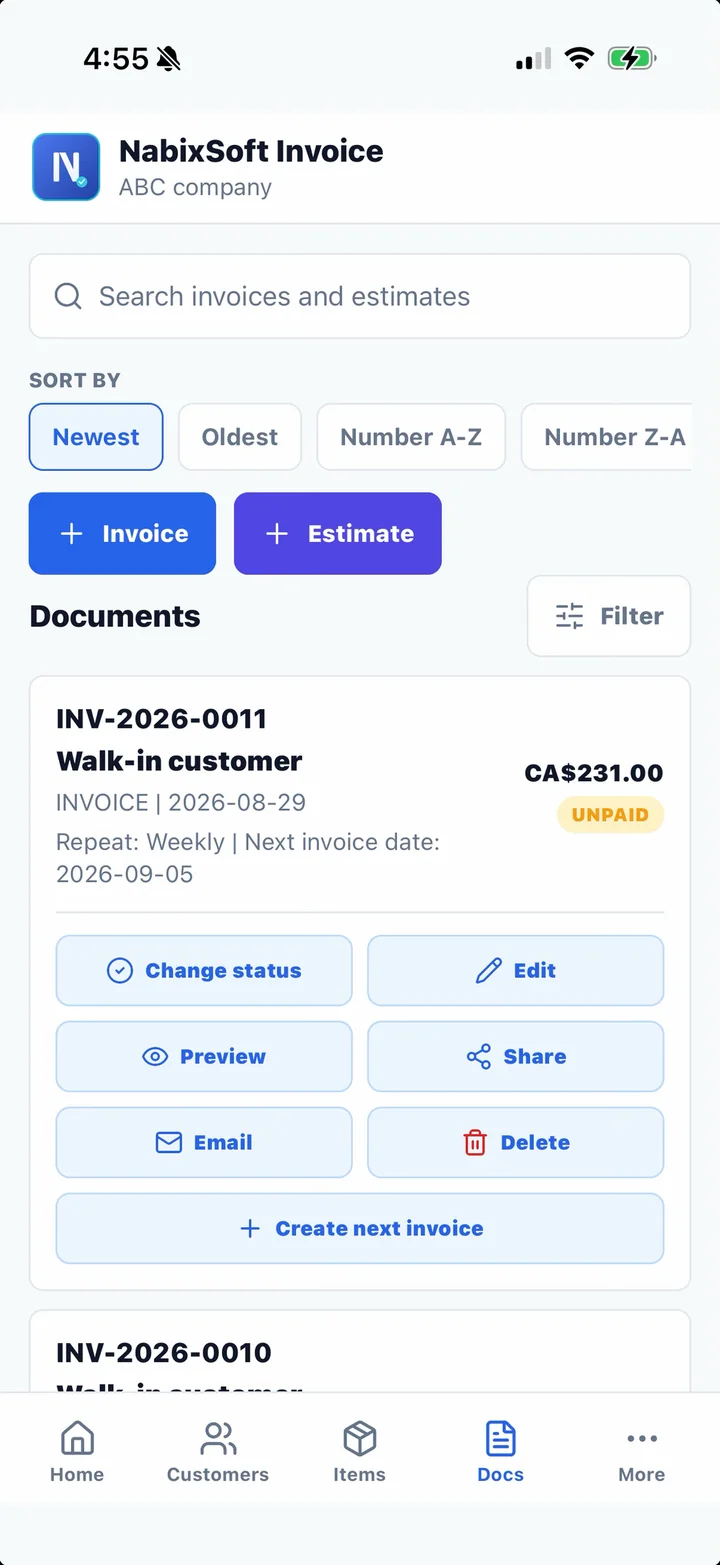
Check quantities, rates, and the settings you entered
Confirm that each quantity matches its unit and rate. An hourly charge should describe the hours intended, while a fixed service uses a different basis. Look for an amount carried over from an older document that does not belong to the current work.
Review tax settings and totals using the information you intend to record. The app calculates from your entries, while the review checks whether those inputs match the document. If the total looks unexpected, return to the underlying line items rather than changing a number merely to make the summary look familiar.
Example: reviewing a reused document
Suppose you prepare an invoice using familiar customer and service information from earlier work. The result may look nearly complete, yet still contain a previous project description or quantity. Read it against the work being billed rather than relying on its resemblance to an earlier successful invoice.
Then inspect the PDF, payment information, and sending destination. A short sequence can catch an old contact or a changed payment link before it reaches the customer. This example explains why a reusable starting point and a deliberate final review belong in the same routine.
Open the complete PDF preview
Preview the actual document before sending it. Check the business name, customer details, line descriptions, totals, logo, and any signature you include. Read the end of a longer invoice as carefully as the opening section.
Choose a template that leaves the content readable. The app includes a collection of professional PDF styles, but the best choice depends on your actual descriptions and document length. See the template guide for a presentation-focused review.
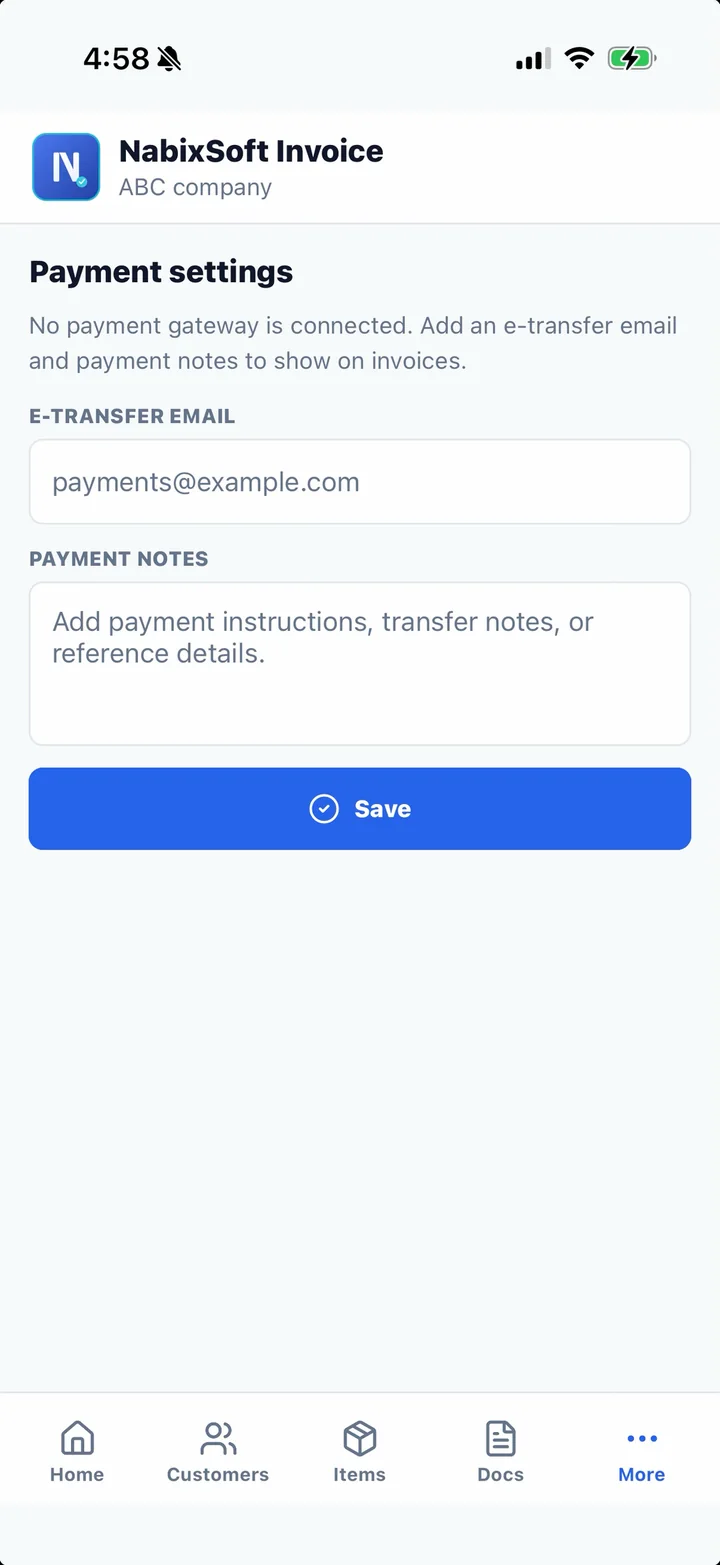
Review the payment destination and wording
Check the payment information you supply, including any email address, link, generated QR code, or note. Make sure the destination matches the method your business intends to use and that the different instructions do not contradict one another.
NabixSoft Invoice does not process customer payments. The document points the customer toward your chosen method. Review received funds through that method before treating an invoice as paid. The payment information guide explains the role of links and codes.
Complete delivery and keep the record useful
Choose the device’s available sharing, email, printing, or saving action for the recipient. If a network-dependent service is involved, check its sending status when delivery matters. Creating the PDF and delivering it are separate parts of the routine.
- Confirm document type and customer.
- Read descriptions and scope changes.
- Review quantities, rates, settings, and totals.
- Inspect the complete PDF.
- Check payment information and delivery.
Keep the working record current and export complete backups after important updates. A short checklist earns its value by being easy to repeat on ordinary documents, not only when an invoice feels unusually complicated.
Common questions
Should I preview a document made from an estimate?
Yes. Conversion reduces repeated entry, but the final invoice still needs review.
Does the PDF template verify my business entries?
No. Review the customer, descriptions, amounts, and payment information before delivery.
Is opening the share sheet confirmation of delivery?
Check the sending service when you need confirmation that the document left the device.

A practical next step · Available now
NabixSoft Invoice
Bring this invoicing workflow into one mobile app with NabixSoft Invoice. Prepare invoices and estimates offline, save customer details, and share professional PDFs.
Available on Android, iPhone, and iPad. Check your regional store for current compatibility and pricing.