
NabixSoft Inventory Pro · Practical guide
Make a stockroom record useful where the stock is stored.
A stockroom can be difficult to review when product names, shelf labels, and movement entries describe different things. Inventory Pro supports product details, locations, storage notes, and transfers. This guide explains a manageable recordkeeping routine for those features without claiming a larger warehouse automation system.
Match the records to the physical space
Start with recognizable location names and useful storage notes. Someone looking at a record should be able to connect it with the real room without translating a private naming system.
Keep the level of detail manageable. A smaller stockroom may need broad locations plus shelf notes, while a more complex arrangement may call for a clearer local convention. The important question is whether you can apply and maintain the same names when stock arrives or moves.
Make product identity survive a shelf move
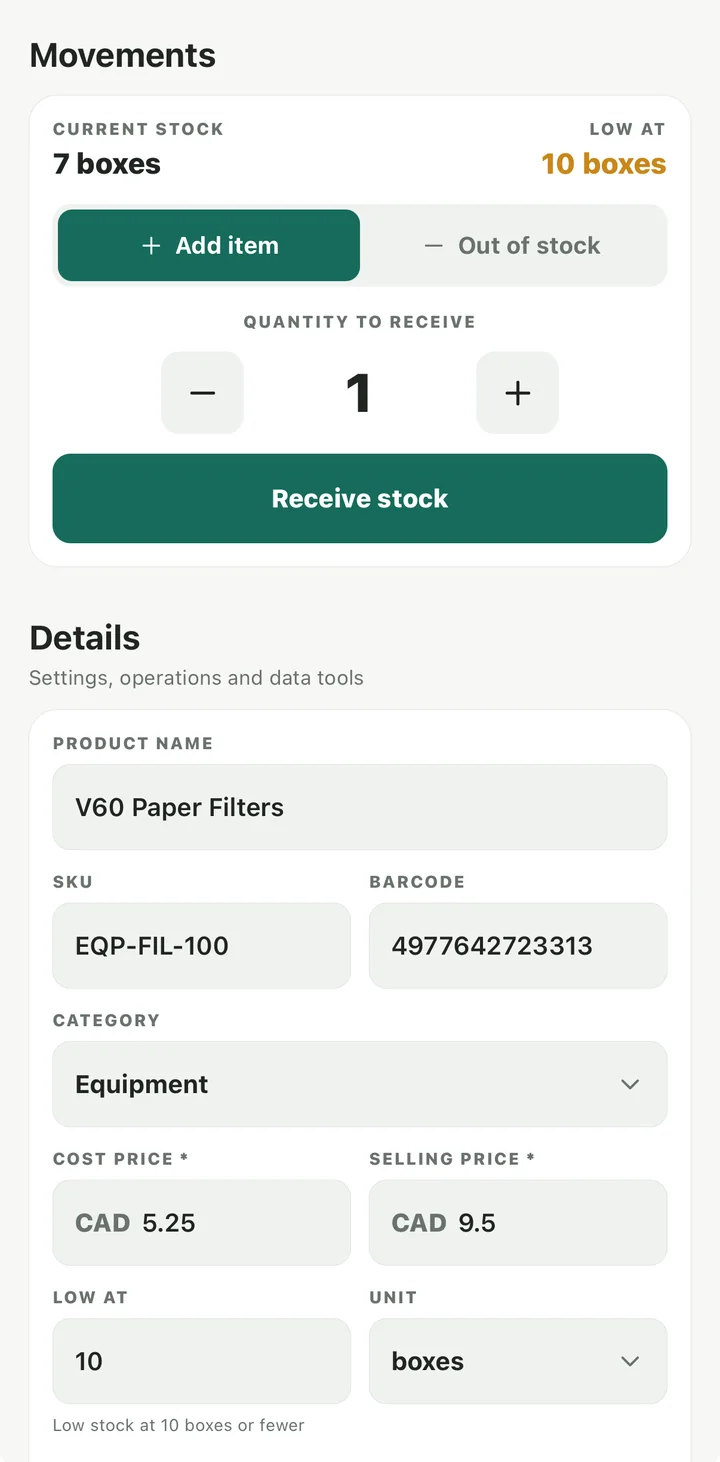
Use stable product names, SKUs, or codes that identify the item itself. A change of shelf should not require guessing which of several nearly identical catalog records describes the same stock.
Photos and storage details can help distinguish products that look similar in packaging. Confirm the quantity unit too, especially when deliveries arrive in cartons but the working record uses individual boxes or pieces. The catalog guide covers that separation of fields.
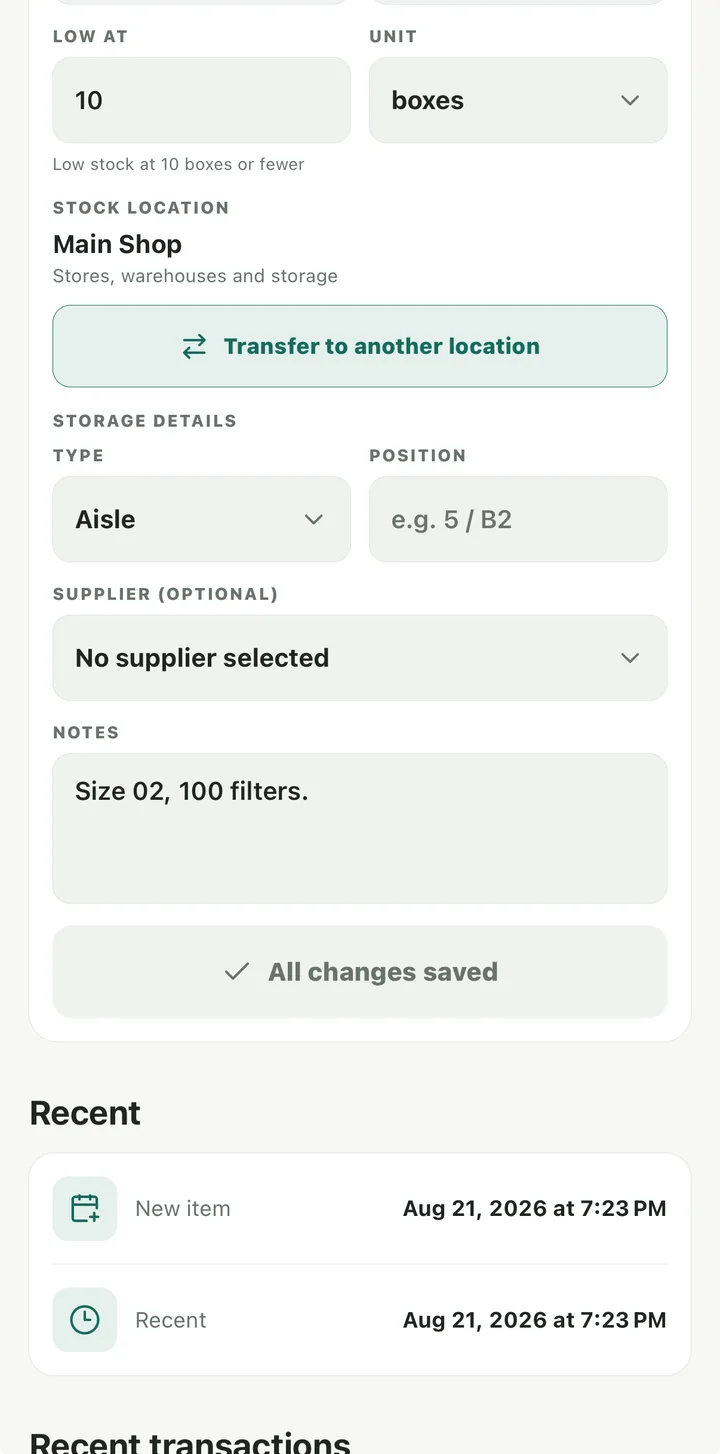
Review receiving before stock disappears into storage
Check product identity, packaging, quantity, and intended destination while the delivery remains easy to inspect. Enter the receiving event using the unit maintained in the record.
After entry, inspect the resulting stock information. A mistaken quantity or unit is easier to resolve before several boxes have been moved into different areas. Keep supplier information recognizable so future product searches can use the source as another clue.
Example: a delivery is split between two areas
Suppose a delivery arrives in boxes and some stock is later moved to a working area. Confirm what the product record counts before entering the receiving quantity. Record the subsequent physical transfer with the intended source and destination.
Review recent history while the packages are still recognizable. If a later quantity looks unusual, those distinct events provide better context than an unexplained adjustment. The example illustrates a local inventory routine, not a promise of automatic warehouse dispatch, synchronized devices, or a separate purchasing integration.
Record movements at the time they are understandable
Use receiving, removal, and transfer entries to describe the event that actually happened. For a transfer, confirm source, destination, product, and quantity rather than treating the move as an unrelated purchase.
Several small moves can become difficult to reconstruct at the end of a busy day. Review recent history when a record looks unexpected. The movement-history guide explains how to inspect those entries without assuming the history contains an event no one recorded.
Count a defined area using the same conventions
Choose a manageable area for a physical check, and know what stock is moving during the count. Compare the same product and unit in the room and the app.
When quantities differ, investigate familiar causes such as a missed delivery, removal, or transfer. The stock-count checklist gives a complete sequence. A clear count boundary is more useful than an assumption that every shelf was included.
Keep device and process boundaries explicit
Inventory Pro’s ordinary inventory workflows use local data and work offline. That is different from automatic shared-device synchronization, dispatch automation, or a warehouse-management integration, none of which is assumed here.
- Use recognizable storage names.
- Confirm the product and unit.
- Record receiving and transfers close to the event.
- Review defined physical counts.
- Keep a complete backup accessible outside the app.
Choose a clear place for the current working record and follow supported backup and restore instructions when moving to another device.
Common questions
Can Inventory Pro describe locations and storage details?
Yes. Those are published product features alongside stock movements and product records.
Does this page describe warehouse automation integrations?
No. It focuses on supported local inventory records and ordinary movement workflows.
What makes a stockroom count easier to review?
A clear area, consistent product units, and a record of stock moving during the count.

A practical next step · Available now
NabixSoft Inventory Pro
Keep the product and storage context discussed here in NabixSoft Inventory Pro, with photos, notes, location details, and stock transfers.
Available on the App Store for iPhone and iPad. A Google Play download link has not been confirmed.