
NabixSoft Inventory Pro · Practical guide
Use movement history to understand a stock quantity.
An unexpected quantity is easier to investigate when stock changes have meaningful records. Inventory Pro supports receiving, removing, and transferring stock, along with transaction history. This guide explains how to review those entries while keeping the distinction between recorded activity and what physically happened.
Start with the exact product and quantity in question
Confirm the product identity before investigating its history. Similar names, sizes, and packaging can make the wrong record look plausible. Check the SKU or code and the unit the quantity represents.
Define the question clearly: is the total unexpected, is stock missing from a particular location, or does a recent delivery seem absent? A specific question gives the history review a purpose and helps you choose which events to compare with the physical stock.
Understand the event the entry is meant to describe
Receiving records incoming stock, removal describes stock leaving the recorded quantity, and a transfer describes movement between locations. Choose and review the event that fits the physical change.
A shelf move entered as unrelated usage can make the history hard to understand even if one displayed number looks correct. The location-tracking guide explains how a transfer should retain clear product, source, destination, and quantity context.
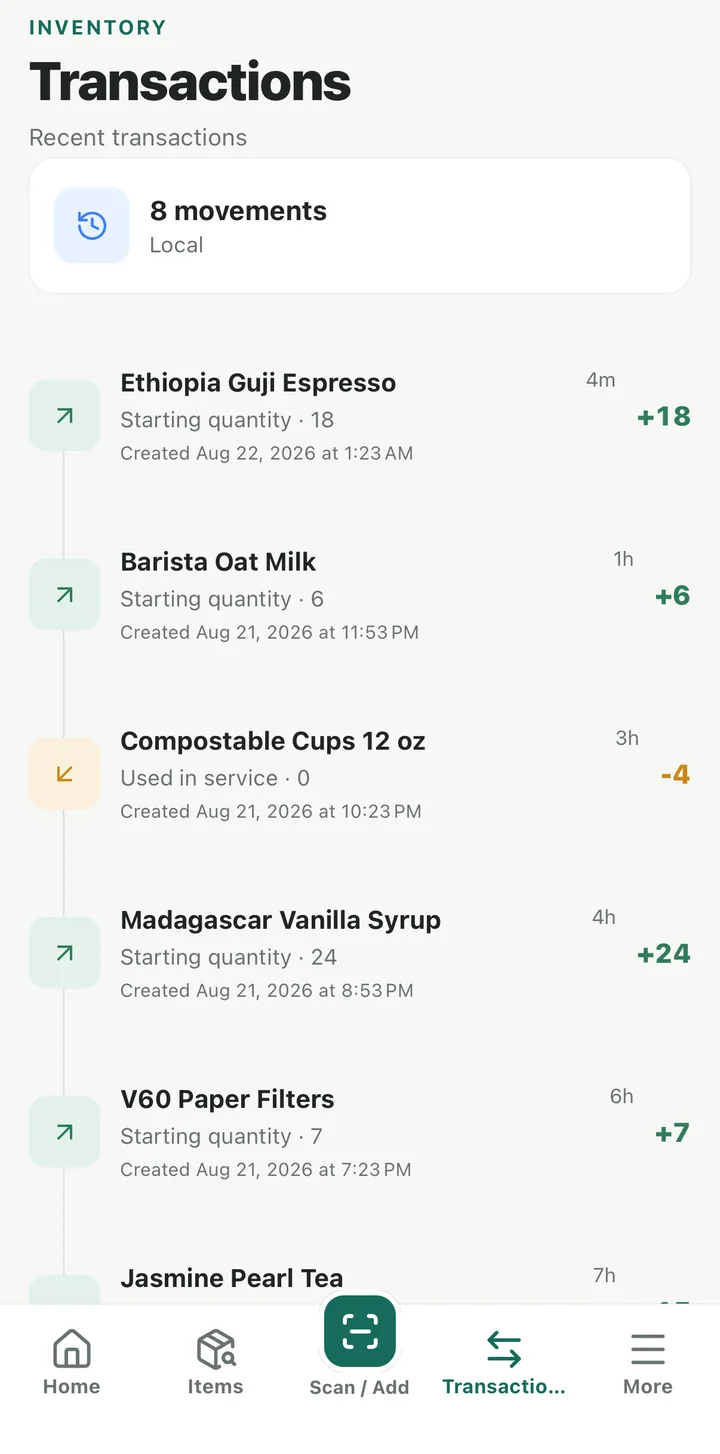
Compare history with the work you can confirm
Review the relevant recent activity and compare it with deliveries, usage, or moves you can identify. Confirm units and locations alongside quantities rather than relying on the amount alone.
For example, a delivery entered in cartons and a record counted in individual boxes may explain a difference. A transfer to a different working area may explain why one shelf looks empty. History provides the events entered in the app; it cannot supply an omitted event that no one recorded.
Example: a quantity changes after a storage move
Imagine a shelf looks empty even though you remember receiving stock earlier. Confirm the product and unit, then review relevant movements and physical locations. A transfer to another working area may explain what happened without implying that stock was consumed.
If a move was omitted or entered against the wrong context, investigate before making an update. Review the resulting record afterward. This example uses movement history as supporting information, while recognizing that the app only contains the events entered and cannot reconstruct an unrecorded physical action by itself.
Use a focused physical check when needed
Count the relevant stock using the same unit and account for movement happening during the comparison. A physical check and an app review should describe the same product and a clearly understood moment.
If the check suggests a missing or incorrect entry, investigate while the event is still familiar. The stock-count checklist gives a broader sequence for that review. Avoid assuming that every difference has the same cause.
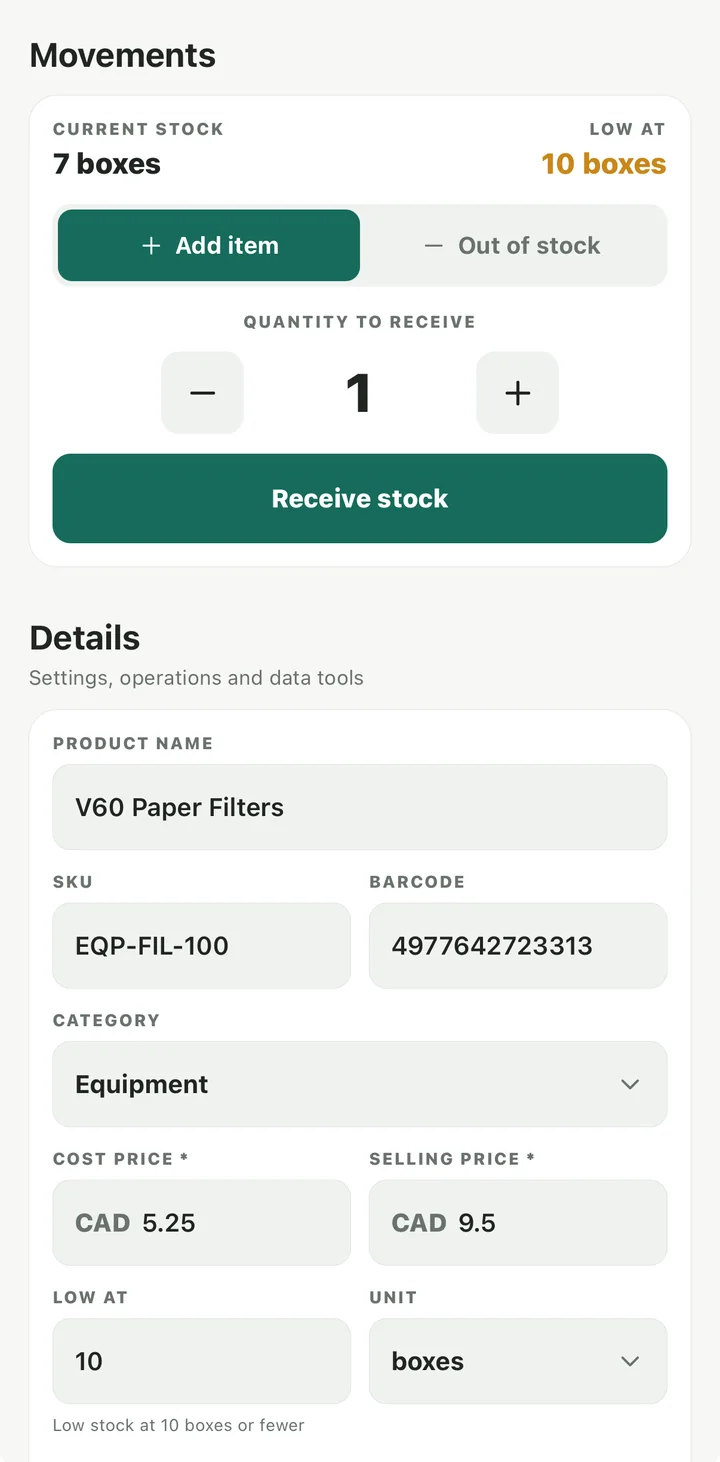
Make a deliberate record update
Use the current app workflow to address the entry or stock information you have verified. Read the action and its effect before completing it. A useful correction should explain what you know rather than simply make a total match your first expectation.
Review the result, including the product quantity and relevant recent history. If you cannot explain what happened, preserve the available context and seek help through support instead of making several speculative changes that become harder to untangle later.
Use the review to improve the next entry
Notice whether the problem came from unclear units, delayed recording, or ambiguous location names. A small change to the ordinary entry routine may prevent the same confusion on the next delivery or move.
- Identify the exact product.
- Define the quantity question.
- Review event types, units, and locations.
- Compare the physical stock where needed.
- Make a verified update and keep a complete backup.
The receiving guide shows how clear entry at the start can make future history reviews more useful.
Common questions
Which stock events are described by the app?
Receiving, removing, and transferring stock are published features, together with movement history and recent activity.
Will history show an event I never entered?
Do not assume an omitted physical event is present. Compare the records with what you can confirm.
Should I change a quantity before checking units?
Check identity, units, locations, and relevant events first so the update reflects a meaningful finding.

A practical next step · Available now
NabixSoft Inventory Pro
Record the stock events discussed here in NabixSoft Inventory Pro, with receiving, removal, transfers, supplier details, and movement history.
Available on the App Store for iPhone and iPad. A Google Play download link has not been confirmed.