
NabixSoft Inventory Pro · Practical guide
Give inventory photos and storage notes a clear job.
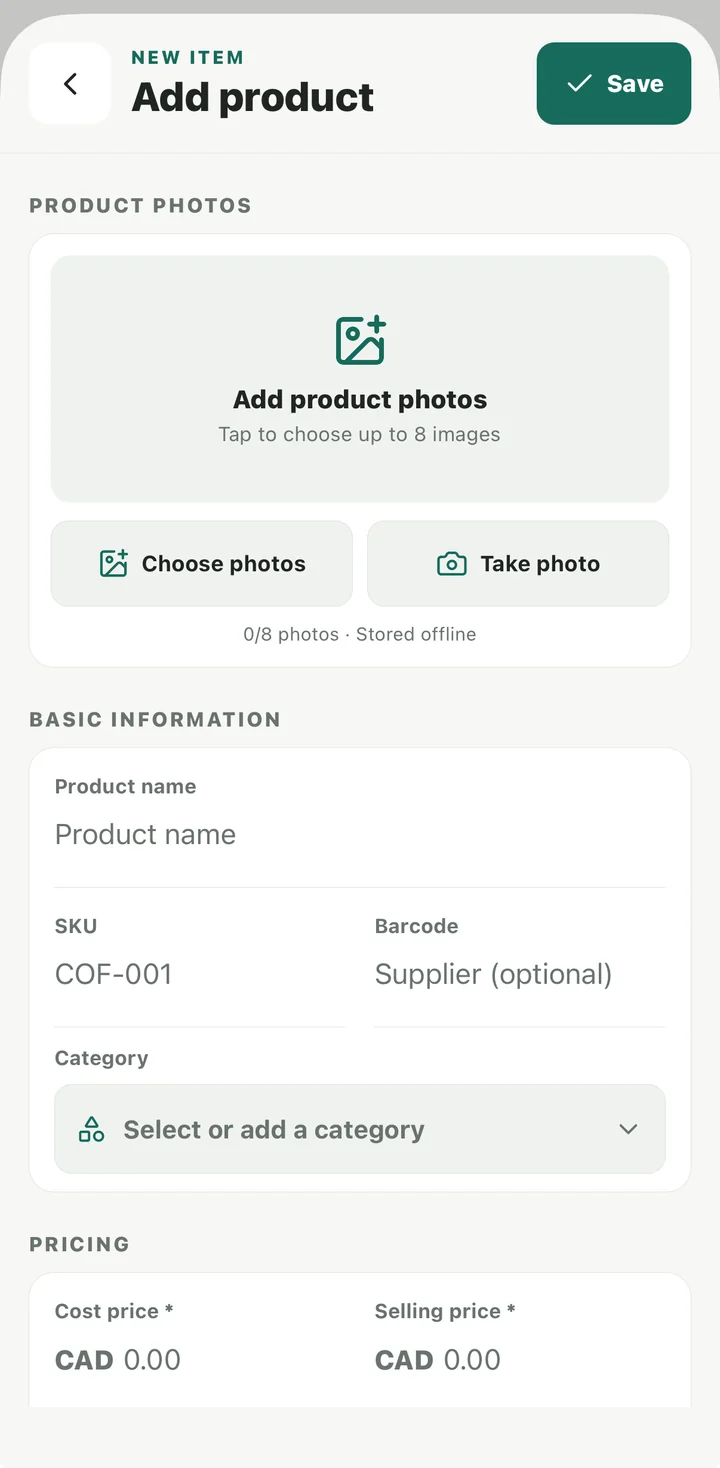
A product image is useful when it helps identify the right item. A storage note is useful when it helps someone find it. Inventory Pro supports both kinds of context alongside product records. This guide explains how to keep those details practical rather than collecting information that nobody can use.
Decide what the image needs to clarify
Look at the products that are easy to confuse. The useful difference may be a model label, a connector, a size marking, or the way the item is packaged. Choose an image that makes that detail recognizable.
A distant picture of several products may be less helpful than a clear picture of the intended item. Review it at the size you see in the app, where small details can disappear. Keep the name and other identifying fields clear too, since an image alone may not explain every difference.
Check that the image belongs to the intended record
After choosing a photo, inspect the product record and confirm the association. Similar names or a busy receiving session can make it easy to attach context to the wrong item.
If a product changes packaging or is replaced by a different model, review whether the image still describes it. Decide deliberately whether you are updating context for the same product or creating a genuinely different record. Avoid preserving an attractive image that now points someone toward the wrong stock.
Write storage information in recognizable language
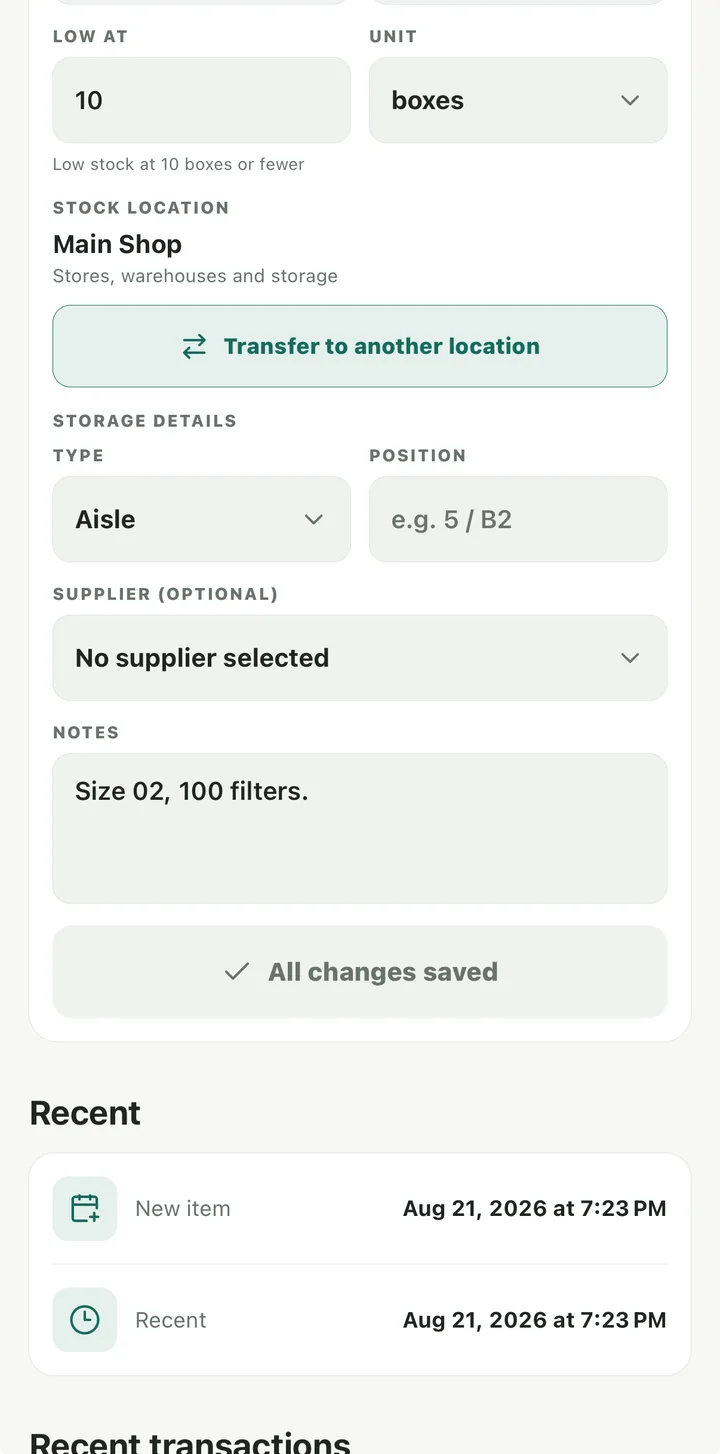
Use location names and notes that match the real area. A record should help someone find the shelf or container without relying on a memory of where the item used to be.
Choose an amount of detail you can maintain. If every small move makes a precise note wrong, consider a simpler convention that still helps locate the product. Keep the identity of the item separate from its current storage context so that a move remains understandable.
Example: two similar packages on neighboring shelves
Imagine two products have nearly identical packaging but differ in a model detail. Use the name and an image that shows the relevant difference, then confirm that the photo is associated with the correct record. Add storage context that helps locate the intended shelf.
When the arrangement changes, review the location information rather than leaving a precise but outdated note. Try finding the item from the record alone. This example gives photos and notes a practical identification task while keeping quantity and movement information in the fields that describe those events.
Review notes when stock moves
Inventory Pro supports locations and stock transfers. Use the appropriate movement workflow for a physical transfer and review storage details when the arrangement changes.
A correct quantity with an outdated shelf note can still waste time during a search. The location guide explains how source, destination, and product identity fit together. Update meaningful context close to the move while the new arrangement is familiar.
Try finding the product from the record alone
Open a few records and ask whether their name, photo, code, and storage details are enough to identify the intended item. This is a useful review after a catalog cleanup or before a focused stock count.
If the answer depends on personal knowledge, add the missing context in the relevant field. The product-lookup guide shows how search fields can help you reach the record; photos and notes then help confirm it.
Keep the context current and recoverable
Include photo and storage checks in ordinary catalog maintenance. You do not need to recreate every image at each count, but unclear or outdated details deserve attention when they slow real work.
- Choose an image that reveals a useful difference.
- Confirm its product association.
- Use recognizable location language.
- Review details after moves or product changes.
- Export complete backups after important updates.
The backup guide explains recovery planning for the working records you have spent time making useful.
Common questions
Can Inventory Pro store product photos and notes?
Yes. Product photos, notes, and storage details are included in the published features.
Does a photo replace a SKU or quantity record?
Use each field for its role. A photo supports identification while other fields describe references and stock information.
When should storage notes be reviewed?
Review them when stock moves, storage names change, or a real lookup reveals that the context is unclear.

A practical next step · Available now
NabixSoft Inventory Pro
Keep the product and storage context discussed here in NabixSoft Inventory Pro, with photos, notes, location details, and stock transfers.
Available on the App Store for iPhone and iPad. A Google Play download link has not been confirmed.