
NabixSoft Inventory Pro · Practical guide
Start an inventory you can keep maintaining.
The first setup should help the next ordinary stock task, not create a catalog too complicated to use. Inventory Pro supports products, codes, categories, suppliers, locations, and movements. Start with a manageable group of items and a consistent convention, then expand from a working routine.
Choose the first area or product group
Begin with an area where the stock is easy to inspect and the names are familiar. A clearly defined group gives you a chance to test the record structure before adding everything you own.
Identify the questions the inventory should help answer: what is present, where it is stored, and what needs attention. Keep those tasks in mind when deciding which details to enter. A small, understandable setup can be more useful than a large catalog filled with uncertain quantities.
Create recognizable product identities
Use names and references that distinguish similar products. Inventory Pro supports SKUs, barcodes, photos, categories, suppliers, and notes alongside the name.
Enter enough context to recognize the item later and check for an existing record before adding another. Decide which field carries the internal reference and which carries the packaging code if you use both. The catalog guide covers a simple way to separate these roles.
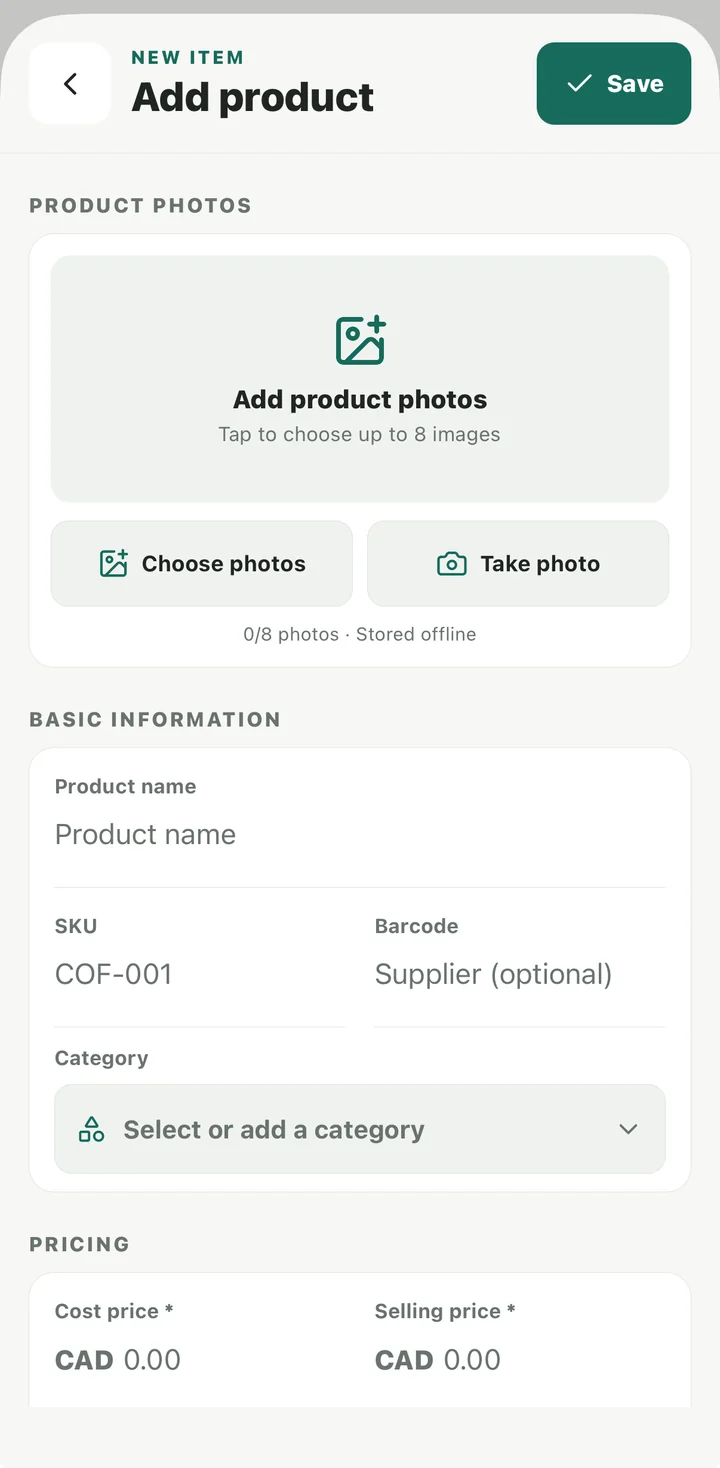
Agree on quantity units and storage names
Choose the unit each record represents and keep it consistent in later entries. Pieces, boxes, and cartons can describe different quantities even when the product name is similar.
Use location names that match the physical space, with storage notes where they help find the item. Avoid a level of detail you cannot maintain when stock moves. The photo and storage guide explains how to make that context useful.
Example: beginning with one category of supplies
Imagine setting up only the supplies used in one working area first. Choose recognizable names and quantity units, add the relevant location information, and compare the starting records with the physical stock. Try a search and review an ordinary movement workflow.
Use what you learn to clarify the naming or storage convention before expanding. Export a complete backup after the first useful batch. This example makes setup a repeatable working process rather than a one-time task of entering every possible detail before checking whether the records are understandable.
Compare starting records with the physical stock
Check the items in the chosen area using the units you just defined. Account for any stock moving during the setup so that the comparison has a clear meaning.
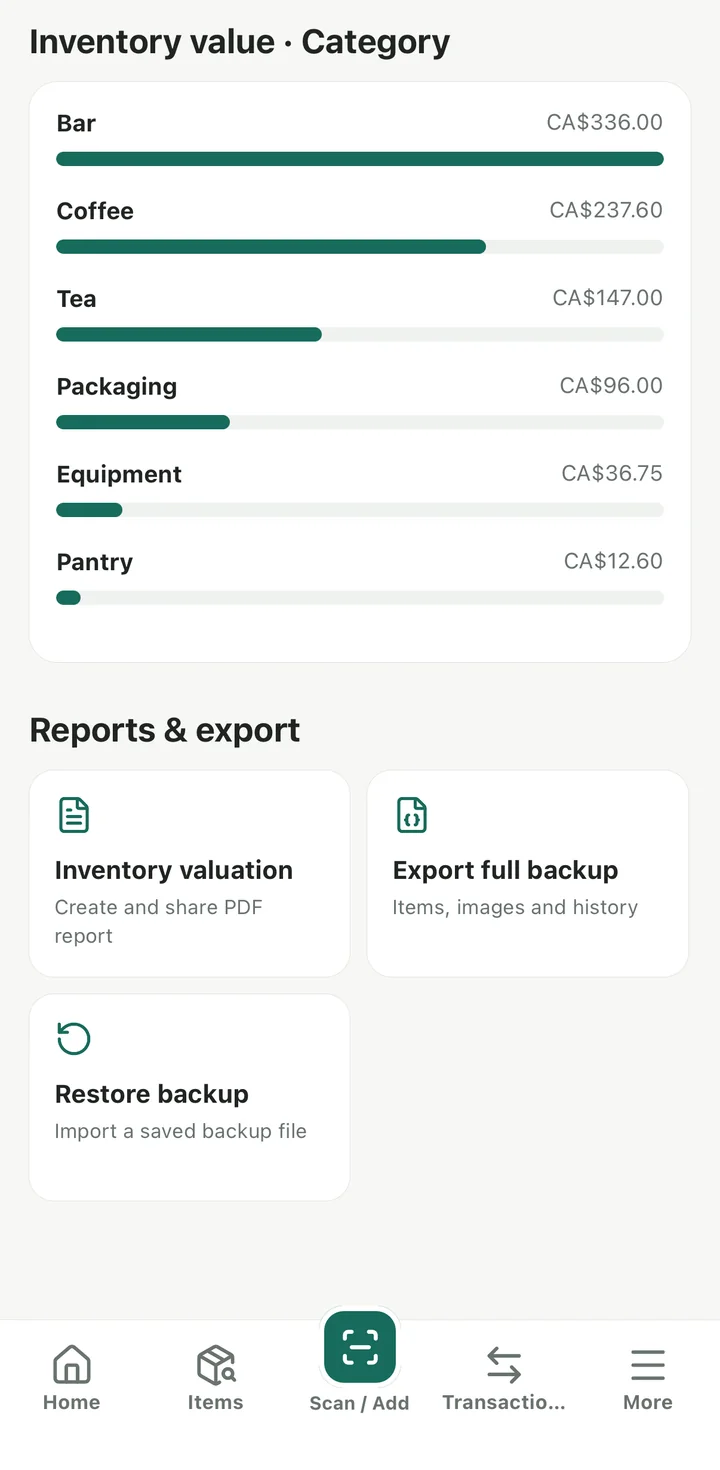
Review quantities and pricing fields carefully before using a summary or valuation report. If a record is uncertain, resolve that question rather than allowing a neat-looking total to hide an unclear input. The stock-count checklist offers a repeatable review sequence.
Test one ordinary lookup and movement
Find an item by the reference you expect to use in daily work. If scanning is part of the plan, check the returned product details. Then review how a receiving, removal, or transfer entry should describe the actual event.
Use the current app instructions and inspect the resulting record. The purpose is to make the ordinary workflow understandable before the catalog becomes large. Notice any name, unit, or storage convention that makes the first task harder than it needs to be.
Keep a recovery copy, then expand deliberately
Export a complete backup after the first useful batch of setup and confirm where the file was saved. Keep it accessible outside the app in case the device is replaced or data is erased.
- Define a manageable first group.
- Create distinguishable products.
- Choose consistent units and locations.
- Check the physical starting information.
- Test a real workflow and make a backup.
Expand the catalog using the conventions you can now explain. Inventory Pro’s everyday workflows work offline without a required account, making a deliberate recovery routine part of maintaining useful local records.
Common questions
Should I enter every item before testing the workflow?
A manageable first group lets you check names, units, locations, and entry conventions before expanding.
Can I include photos and barcodes during setup?
Yes. Those are among the published product-record features.
When should I make the first backup?
After a useful batch of setup, export a complete backup and confirm that the recovery file is accessible outside the app.

A practical next step · Available now
NabixSoft Inventory Pro
Support this inventory workflow with NabixSoft Inventory Pro’s product records, stock movements, low-stock views, and reports. Everyday inventory management works offline on iPhone and iPad.
Available on the App Store for iPhone and iPad. A Google Play download link has not been confirmed.