
NabixSoft Inventory Pro · Practical guide
Make an inventory record understandable before someone else relies on it.
A handover can mean another person reviewing your inventory routine or a planned move to a different device. The useful work is to clarify the current record, its conventions, and its recovery copy. This guide uses Inventory Pro’s local product, movement, reporting, and backup features without assuming shared live accounts.
Identify the current working record
Be clear about which device and inventory copy contains the information being maintained. Local records do not become synchronized simply because another installation exists.
Review the scope of the inventory and note any area or product group that still needs a physical check. An understandable handover should explain the record’s boundaries rather than imply that every shelf and entry has already been verified.
Explain the naming and quantity conventions
Review the names, SKUs, codes, and categories used to identify products. Check that similar items can be distinguished without personal knowledge of the catalog.
Explain what each quantity unit means. A box, a piece, and a carton may look like simple numbers on screen while representing different physical amounts. The catalog guide provides a useful starting point for clarifying those fields.
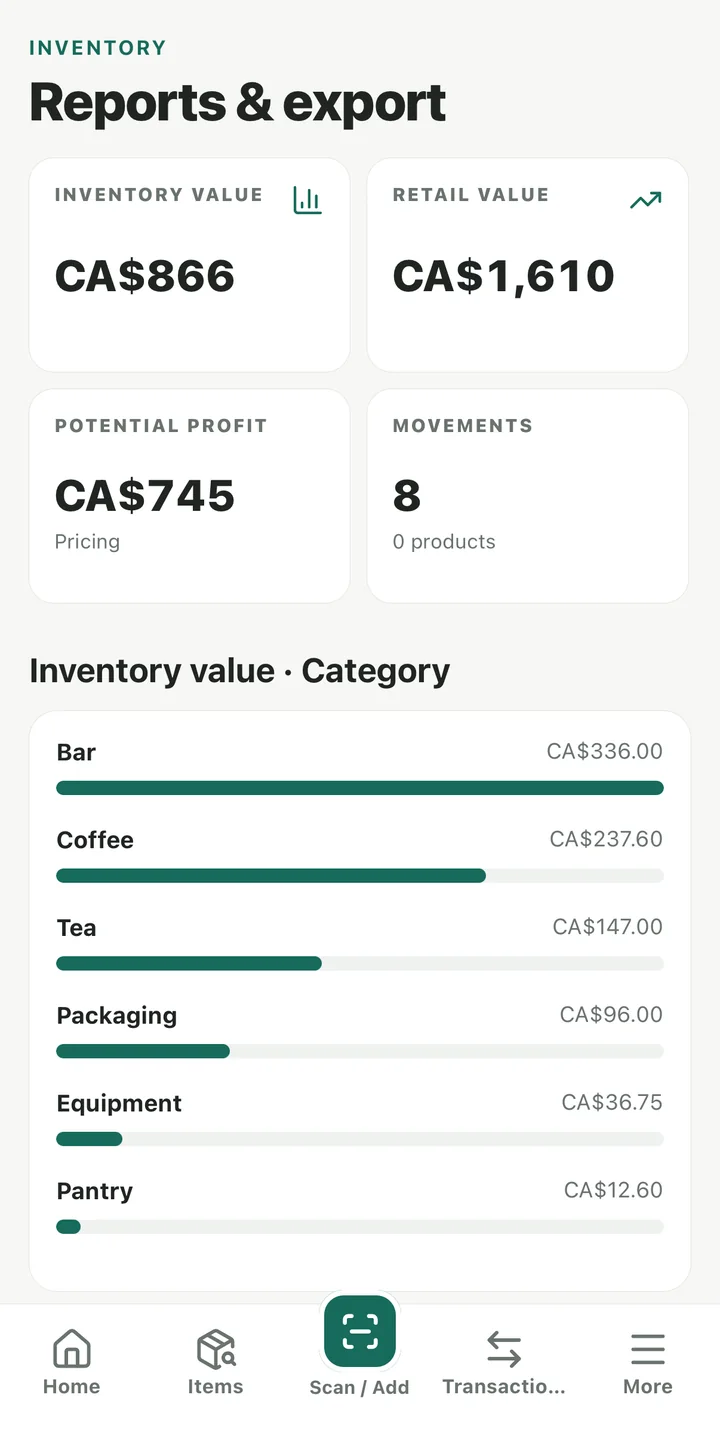
Connect locations and notes with the real space
Check that location names match the storage areas someone can actually find. Review outdated shelf notes and photos that no longer describe the intended item.
A short walk through a defined area can reveal which references depend on memory. Clarify useful context rather than adding so much detail that the next stock move makes it obsolete. The photo and storage guide explains this balance.
Example: moving the current inventory to another device
Imagine a planned device change while the original inventory remains available. Review important products, units, locations, and recent activity, then export a current complete backup. Confirm where it was saved and follow the supported restore instructions on the destination device.
Check recognizable records after restoration before removing the original copy. Keep the boundaries between local installations clear throughout the move. This example describes a deliberate backup-and-restore handover, not automatic shared-device synchronization or a live multi-user account that the published features do not claim.
Review recent movements and unresolved questions
Look over recent receiving, removal, and transfer activity relevant to the handover. Confirm whether deliveries or stock moves remain to be entered, and resolve important ambiguities while the events are familiar.
Keep any remaining question specific to the product, location, unit, or event involved. A statement that the whole inventory is wrong is less useful than a defined record that needs review. The movement-history guide gives a focused investigation sequence.
Prepare the appropriate files for the purpose
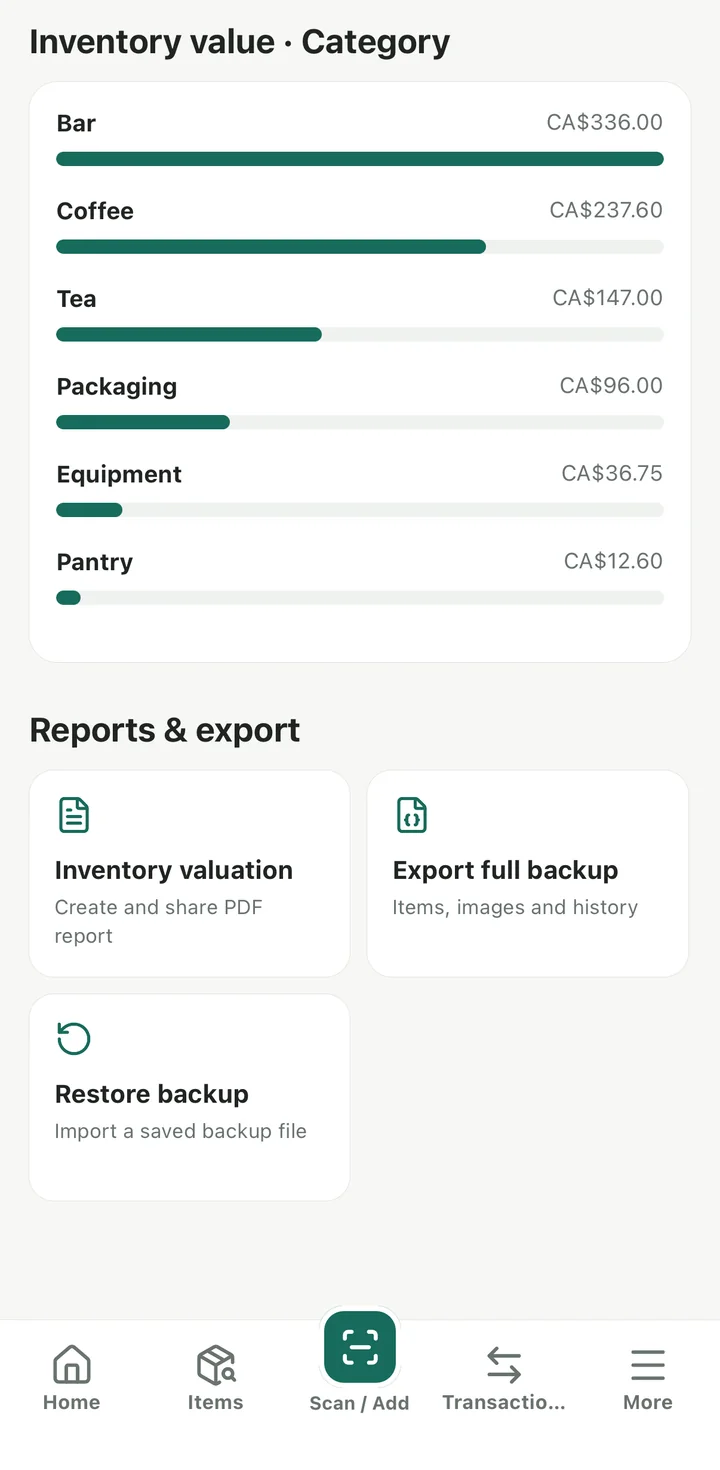
A PDF valuation report provides a readable snapshot. A complete inventory backup serves the supported restoration workflow. Choose the file that fits the task and keep the two roles clear.
For a device move, export a current backup while the original records are available. Save it somewhere accessible and retain the original copy until the restore result has been reviewed. Follow the current app instructions, especially any description of replacement or import behavior.
Check the first ordinary task after the handover
Locate a familiar product, confirm its unit and location, and review a recent stock event. If the task is a device transfer, check that the restored information includes the records you expected.
- Identify the current working copy.
- Explain names, units, and locations.
- Review recent movements and unresolved questions.
- Prepare readable reports or a recovery file as appropriate.
- Check an ordinary lookup before resuming updates.
Maintain a deliberate backup routine afterward. This helps the information remain recoverable as well as understandable, without implying an unverified multi-user synchronization workflow.
Common questions
Does this handover create a shared live inventory account?
No. The guide uses the published local records and backup/restore workflow, with no automatic synchronization claim.
Which file should be used to restore working records?
Use the complete inventory backup through the supported restore process. A PDF report is a readable snapshot.
What should be checked before removing the original copy?
Review restored products, quantities, locations, and relevant recent records while the original remains available.

A practical next step · Available now
NabixSoft Inventory Pro
Use the reporting and recovery tools discussed here in NabixSoft Inventory Pro, with PDF inventory valuation reports and complete inventory backup and restore workflows.
Available on the App Store for iPhone and iPad. A Google Play download link has not been confirmed.