
NabixSoft Inventory Pro · Practical guide
Prepare seasonal inventory before the busy period starts.
Seasonal stock may spend months in storage and then move quickly over a short period. A reliable routine starts with what is physically present, not last season’s remembered total. Use clear product identities, storage details, and movement records to prepare and review the stock you actually hold.
Begin with a checked opening position
Locate the stored stock and compare it with the current records before making plans. Check quantities, units, and condition through your own appropriate process. A box labelled with last season’s number may have been partly used or moved since it was packed.
Account for deliveries and removals that occur during the review. Identify the point in time your opening count describes. The stock count checklist helps organize a review without mixing quantities from different moments.
Distinguish seasonal variants from look-alike products
Use names and identifiers that make relevant versions or sizes clear. A seasonal design may resemble an earlier product while needing its own quantity record. Confirm identity before merging records or reusing a label merely because the packaging looks familiar.
Product photos, categories, SKUs, and barcodes can support recognition in Inventory Pro. Keep the entries accurate and searchable. A useful category helps group related stock, while a precise product record still distinguishes the individual item.
Make storage locations useful during the busy period
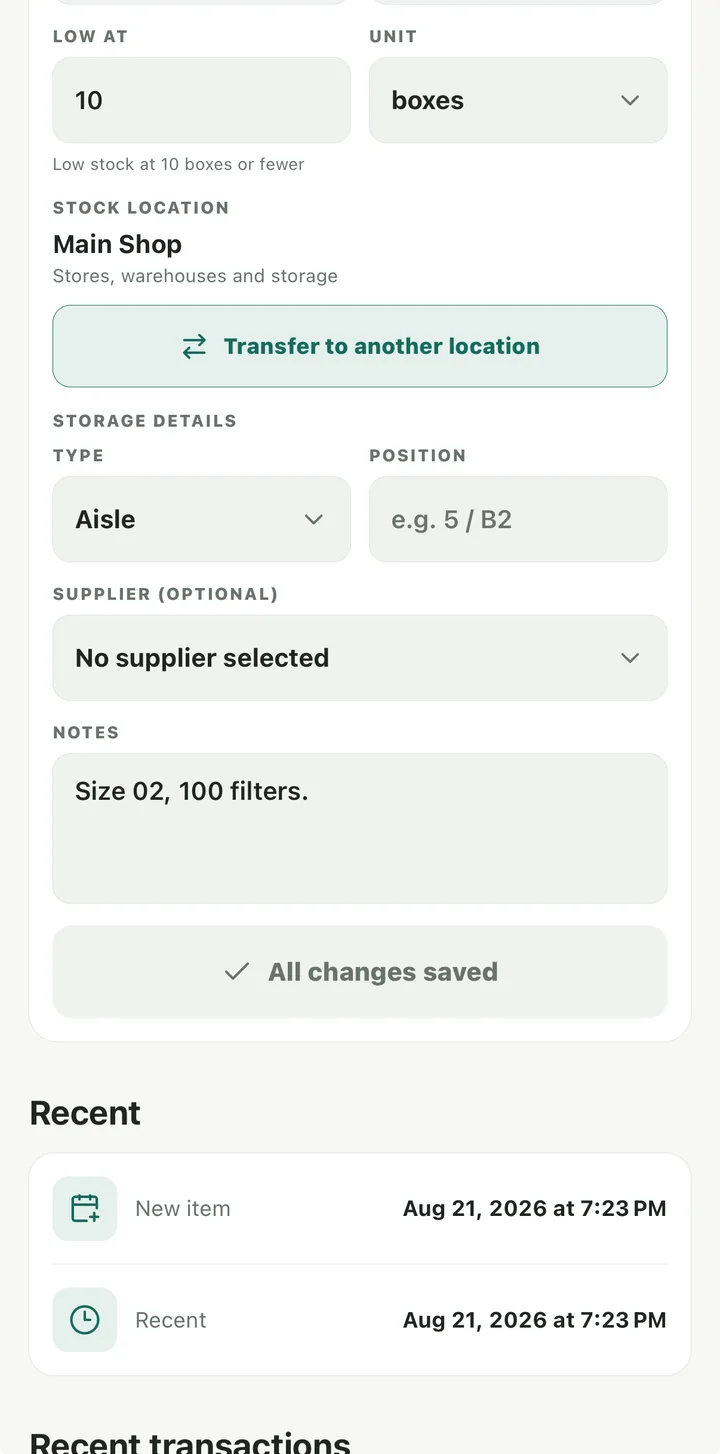
Review where the stock is held and how it will be found when activity increases. Use recognizable shelves, bins, or cabinets rather than vague notes such as in storage. Update storage details when boxes are moved into an active area.
Use the transfer workflow for actual moves between your locations. Do not record a transfer as a new supplier receipt. The multi-location guide explains how location changes remain connected to the same overall stock.
Example: stock moves from storage to an active shelf
A fictional retailer counts thirty seasonal pieces in storage and moves twelve to an active shelf. The transfer changes the locations, while the combined quantity remains thirty. After five pieces leave the tracked stock, the recorded combined position is twenty-five.
A closing count checks that position and the remaining locations. Recording the transfer as a receipt would have inflated the opening stock, so the event type matters as much as the number.
Record the busy period’s actual stock events
Capture receipts and removals close to the events. When activity increases, delayed entry can make it difficult to distinguish goods still on the shelf from goods already used or supplied. Check a temporary note once before entering it so the same event is not counted twice.
Review low-stock views alongside actual quantities and your own purchasing information. Inventory Pro helps organize entered stock records; this article does not claim automatic demand forecasting, supplier ordering, or guaranteed replenishment timing.
Compare remaining stock with the recorded position
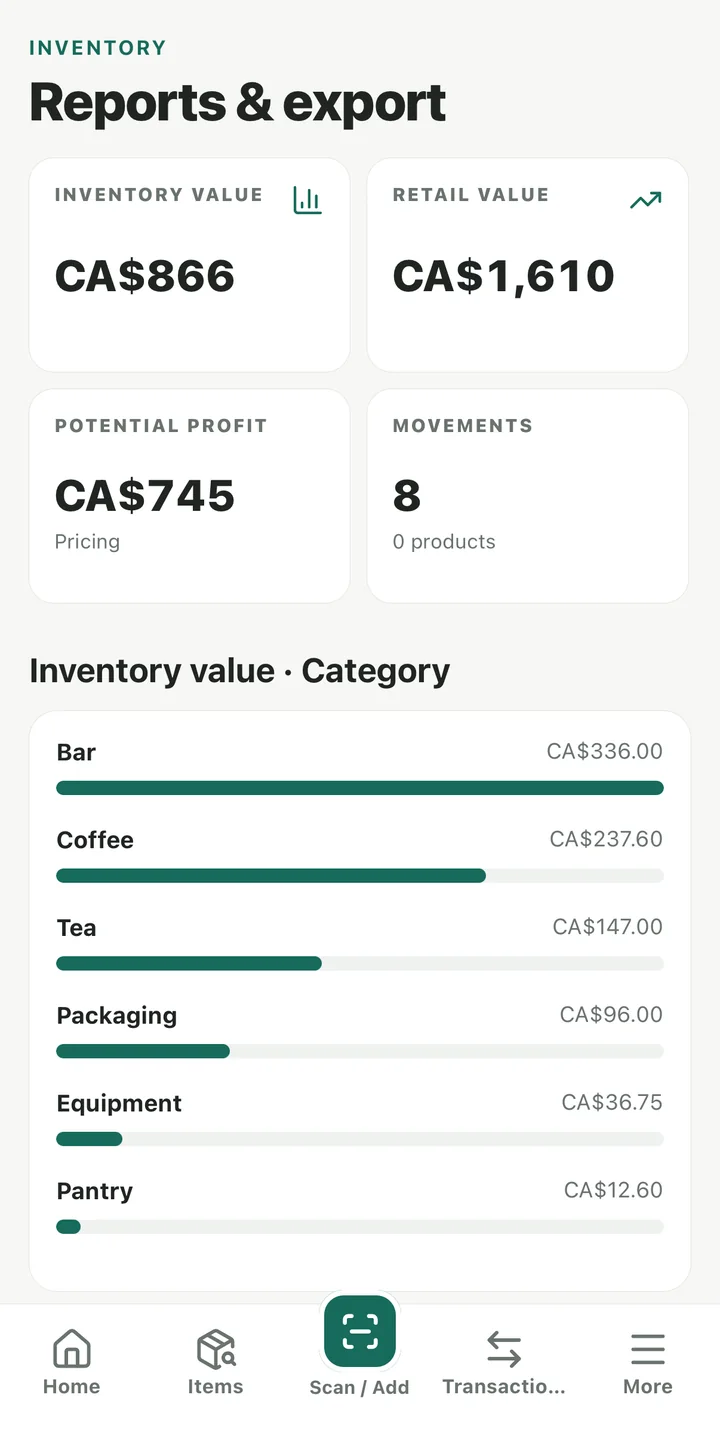
At the end of the busy period, count the remaining products and review recent movements for discrepancies. Separate an unexplained quantity difference from an actual handling decision about what to store or remove. Keep enough context to understand the final position later.
A PDF valuation report can provide a readable snapshot of the entered quantities and prices. It is not a measurement of realized sales or a forecast for next season. Read the valuation guide before interpreting the figures.
Leave a useful record for the next opening review
Update storage details when products are packed away and keep recognizable physical labels. Note any unresolved questions in your own review records rather than leaving an unexplained total for the next person to interpret.
Export a complete backup after the closing updates and keep the file accessible outside the app. Next season, begin with a fresh physical check. A good closing record gives the next review a starting point; it does not guarantee nothing changed during storage.
Common questions
Does Inventory Pro predict next season’s demand?
This guide does not claim forecasting. Use checked stock records alongside your own demand and purchasing information.
Should I trust last season’s box label as the opening quantity?
Compare it with the physical contents and current records before relying on it.
What should I save at the season’s end?
Keep current records, useful readable snapshots, and a complete app backup for recovery.

A practical next step · Available now
NabixSoft Inventory Pro
Keep the product and storage context discussed here in NabixSoft Inventory Pro, with photos, notes, location details, and stock transfers.
Available on the App Store for iPhone and iPad. A Google Play download link has not been confirmed.