
NabixSoft Invoice · Practical guide
Invoice vs. estimate: keep proposed work and billing clear.
An estimate describes proposed work and its expected charge. An invoice records the amount you are billing for the work or stage identified on the document. Keeping their purposes clear helps customers understand what they are reviewing, especially when both documents concern the same project.
Use the estimate to describe a proposal
Start an estimate with a specific description of the proposed work. Make the scope and quantities understandable, and review the prices you enter. A broad label such as general services can leave the customer unsure what the proposed amount includes.
Use your normal agreement process to clarify assumptions, exclusions, and changes. The document label alone does not settle the effect of an agreement in every situation. This article explains the practical record workflow rather than interpreting contracts or local rules.
Use the invoice to identify what you are billing
When preparing an invoice, identify the work or agreed stage that the charge relates to. Some businesses bill after completion and others use an agreed staged arrangement. Your document should describe the actual billing event clearly instead of relying on a generic description copied from an earlier proposal.
Check the customer and recipient again. A proposal may go to a project contact while an invoice goes to someone handling payments. Keep the customer record accurate and make sure the PDF identifies the intended billing organization.
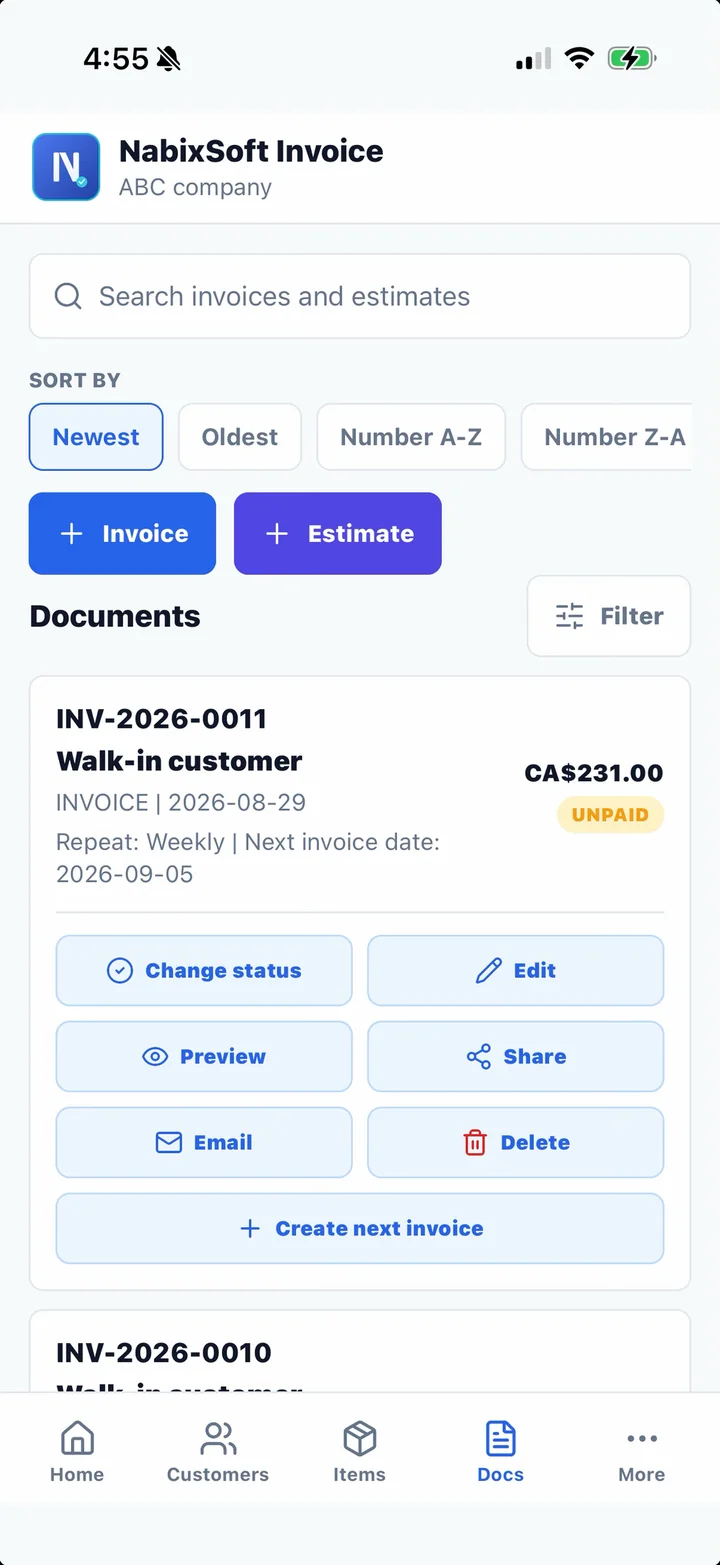
Compare the proposed scope with the billed scope
Before converting or recreating a document, compare the estimate with your work records. Identify tasks removed, quantities changed, and additional work. A customer should be able to follow the difference between the original proposal and the amount you are now asking them to review.
Do not assume that a new document resolves an unclarified scope change. Use the customer communication and approval process appropriate to your business. Then make the invoice descriptions reflect the work and arrangement you intend to record.
Example: a proposed installation changes
A fictional service business estimates installation of four fixtures. The customer later chooses three fixtures and adds a separate inspection. When billing, the owner compares the final work record with the estimate and changes the relevant descriptions and quantities.
Converting the estimate saves re-entering the customer details, but sending the conversion unchanged would describe the wrong scope. The owner previews the revised invoice and explains its relationship to the earlier proposal in the delivery message.
Treat conversion as a starting point for review
NabixSoft Invoice supports converting estimates into invoices. That saves repeated entry, but the resulting document still needs a check. Read the customer details, descriptions, quantities, rates, and payment instructions before sharing the PDF.
Look especially for wording that still describes proposed work when the invoice should identify a completed or billable stage. The estimate-to-invoice conversion guide follows this handoff in more detail, including reviewing the final document rather than only the original estimate.
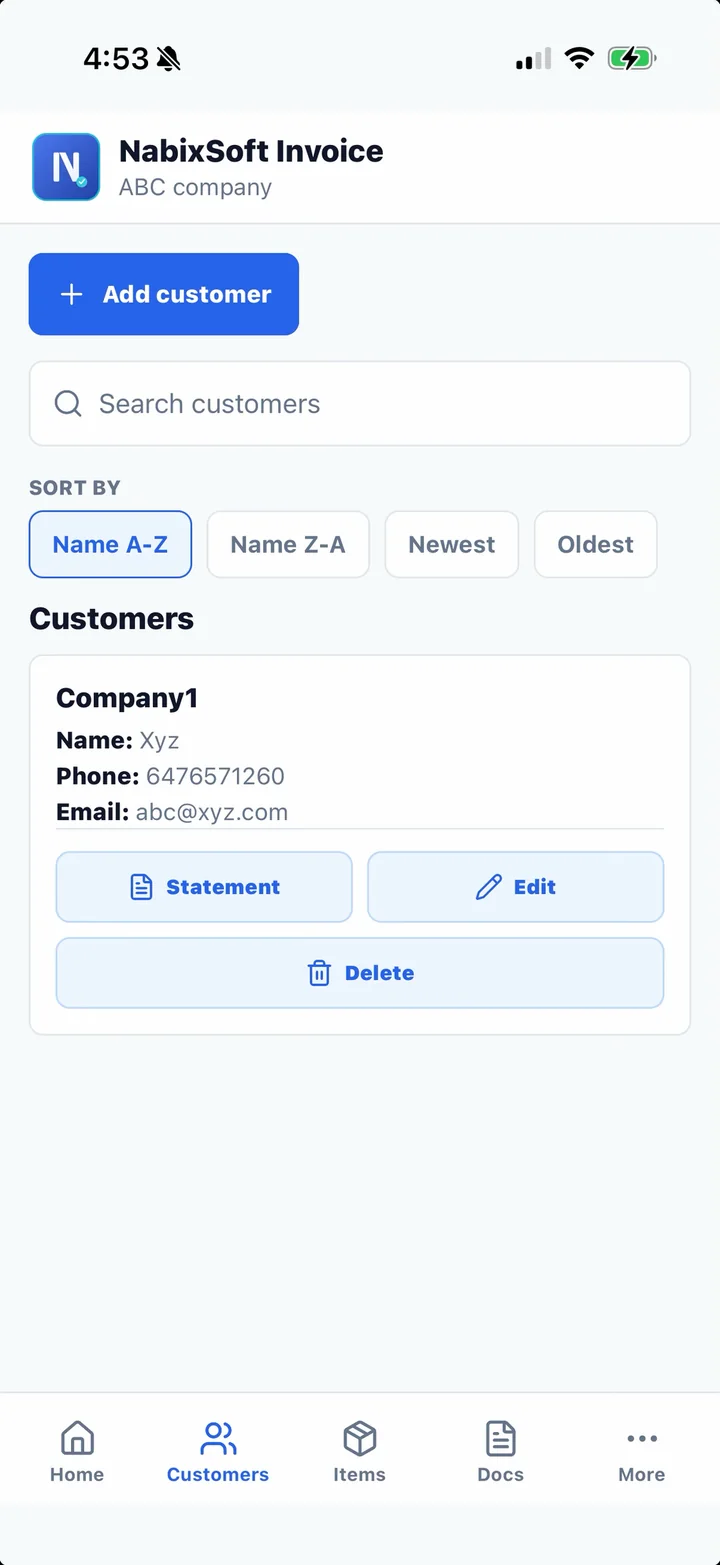
Avoid sending two documents with an unclear purpose
Give each document a recognizable reference and make its purpose clear in the message you send. If a customer has both an estimate and an invoice, a concise explanation can help them identify the document that relates to payment.
Keep the older record available when it helps explain the history. Do not change unrelated records just to make a document list look tidy. A useful record trail connects the proposal, later changes, and the invoice without making the reader guess which amount is current.
Review the customer’s document history together
Use the customer and document lists to check which records already exist before creating another invoice. If several stages are involved, read the descriptions and references together. This helps identify a repeated line or a stage that has not yet been recorded.
Keep invoice status aligned with payments you have verified through your chosen payment method. Export a complete backup after substantial updates. For related customer review, see statements and unpaid invoice tracking.
Common questions
Is an estimate the same as an invoice?
Their practical purposes differ: an estimate describes proposed work and expected charges, while an invoice identifies an amount being billed.
Does converting an estimate check my work quantities?
No. Review the resulting invoice against your actual work records and arrangement.
Can I keep both documents?
Keeping the proposal and invoice can help explain the project history. Make each document’s purpose and reference clear.

A practical next step · Available now
NabixSoft Invoice
Bring this invoicing workflow into one mobile app with NabixSoft Invoice. Prepare invoices and estimates offline, save customer details, and share professional PDFs.
Available on Android, iPhone, and iPad. Check your regional store for current compatibility and pricing.