
NabixSoft Invoice · Practical guide
Move from spreadsheet invoices with a clear starting point.
Changing your invoicing tool works best when you know which records are historical and which still need action. Preserve the spreadsheet originals, set a clear starting point, and verify a small sample before relying on the new routine. This guide does not assume an automatic spreadsheet import feature.
Keep the original files before changing the routine
Save the spreadsheet files and any customer-facing PDFs in a location you can find again. Check that the files open and identify which version is current. Avoid overwriting the only original while experimenting with a new app.
Separate the goal of future invoice preparation from the question of historical record access. You may need to read older files without recreating every old document in a new tool. Decide what information remains in the archive and what needs an active working record.
Choose a starting point for new invoices
Write down when the new routine begins and how you will identify documents already issued from the spreadsheet. Check outstanding work and unpaid records so they do not disappear from your review simply because they were created with the old tool.
Avoid issuing another invoice for a completed billing event just to make the new document list appear complete. Keep a clear way to consult the old archive and identify which tool contains the working record. Resolve uncertainty before sending anything to a customer.
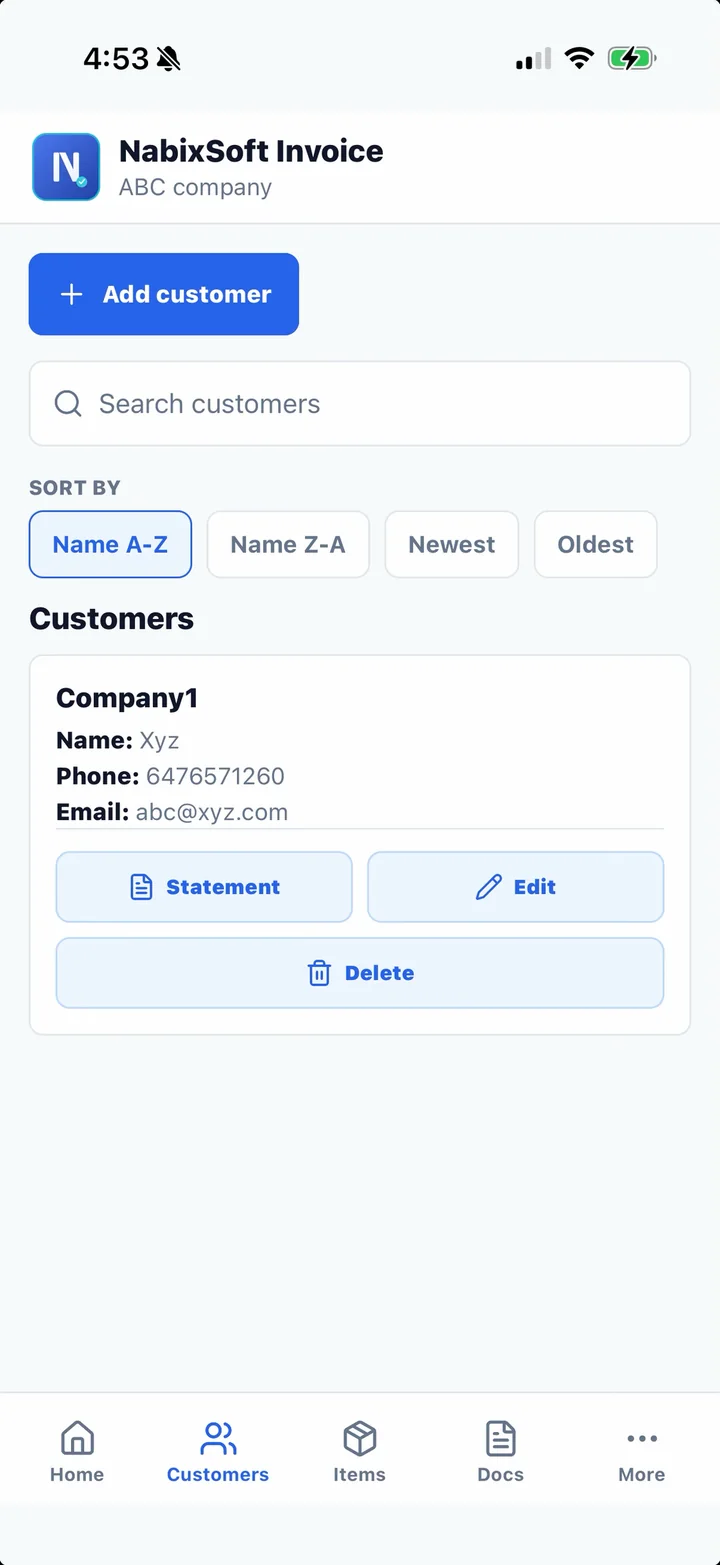
Enter the customers and services you currently use
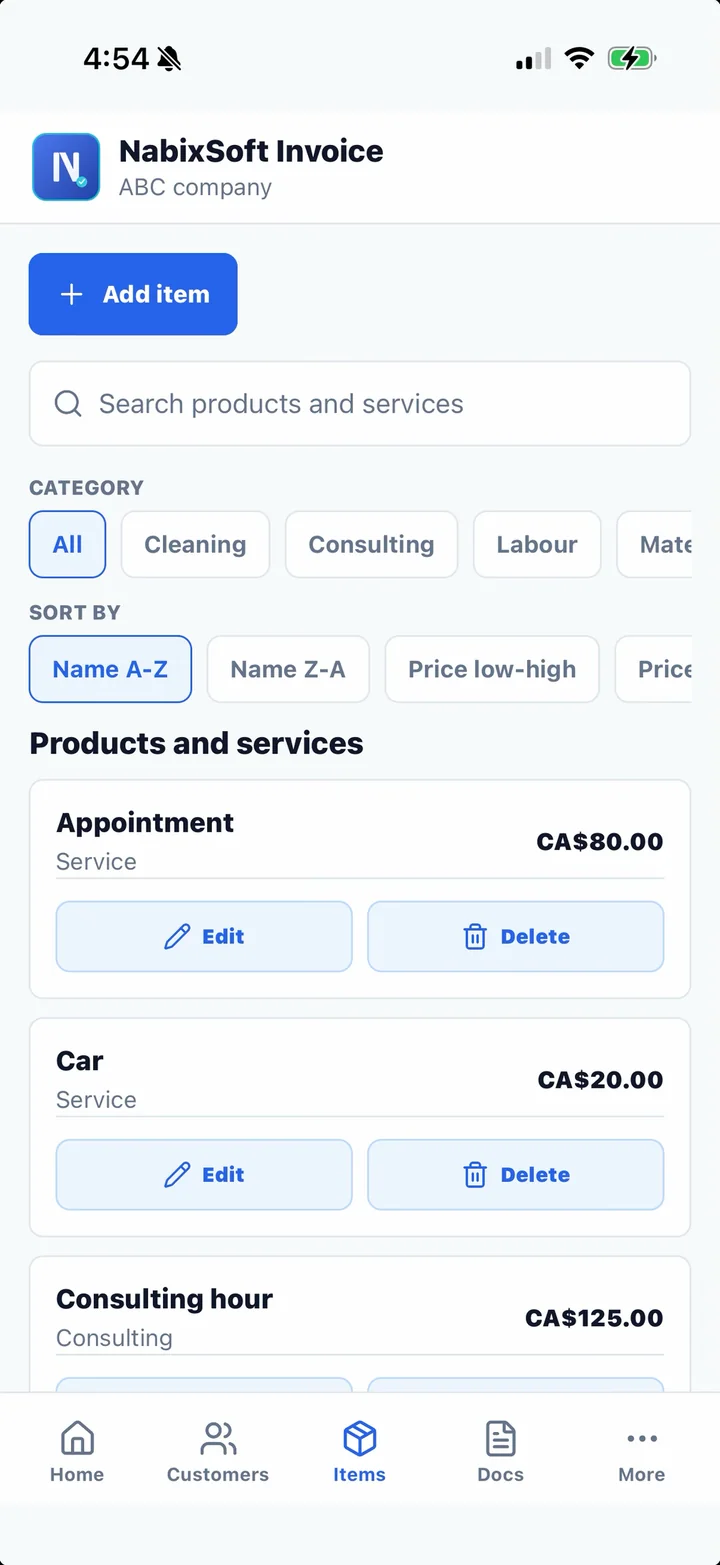
Begin with accurate active customer details and a small set of commonly used products or services. Review names, contact information, units, and rates against your source records. Consistent entries are more valuable than quickly reproducing a messy list.
This workflow uses deliberate setup and review. Do not assume the app automatically imports your spreadsheet layout or interprets its formulas. For catalog preparation, see products and services; for customers, see customer onboarding.
Example: a service owner changes tools between jobs
A fictional owner has twelve archived spreadsheet invoices and two outstanding documents. The owner keeps those originals, notes where the outstanding records are reviewed, and starts the app routine with the next new job. Active customers and common services are entered carefully.
A fictional sample invoice reveals a confusing service unit before live use. The owner corrects the catalog wording and begins the new routine without sending replacement invoices for work already billed in the spreadsheet.
Compare a representative sample without sending it
Use fictional sample details to walk through an invoice resembling your normal work. Check line descriptions, quantities, rates, totals, branding, and payment instructions. Compare the meaning of the result with your intended workflow, rather than expecting it to reproduce every spreadsheet formatting choice.
Review the PDF in full. A field that looked clear in a spreadsheet cell may need a better description on a customer-facing document. Correct setup issues before entering live work and make sure you understand how to find the document again.
Use one clear working record for each new billing event
When you begin using the app for live work, check whether the invoice already exists in the spreadsheet routine. Keep the distinction between an archive copy and a new invoice clear. Tell anyone helping with administration where the current record belongs.
Review outgoing PDFs and verified payments using the same process each time. If you temporarily consult both systems, use that period to reconcile information, not to send competing versions of the same bill. Search before recreating anything that seems missing.
Protect the new records and keep the old archive usable
Export complete app backups after important updates. Maintain the old files in a readable form for the records you still need to consult. A new app backup and the spreadsheet archive serve different parts of your record history.
After the first few invoices, review the customer details, document references, delivery process, and recovery files. Fix routine problems while the volume is manageable. The backup guide explains how to protect the local app records before a device change.
Common questions
Does this guide promise automatic Excel import?
No. It describes preserving source files, setting up current records, and checking a deliberate transition.
Must I recreate every historical invoice?
Decide which records need active handling and preserve access to the originals. Avoid duplicate billing simply to fill the new document list.
Can I delete the old files after my first app invoice?
Keep the original archive available for the historical records and outstanding matters you still need to review.

A practical next step · Available now
NabixSoft Invoice
Bring this invoicing workflow into one mobile app with NabixSoft Invoice. Prepare invoices and estimates offline, save customer details, and share professional PDFs.
Available on Android, iPhone, and iPad. Check your regional store for current compatibility and pricing.